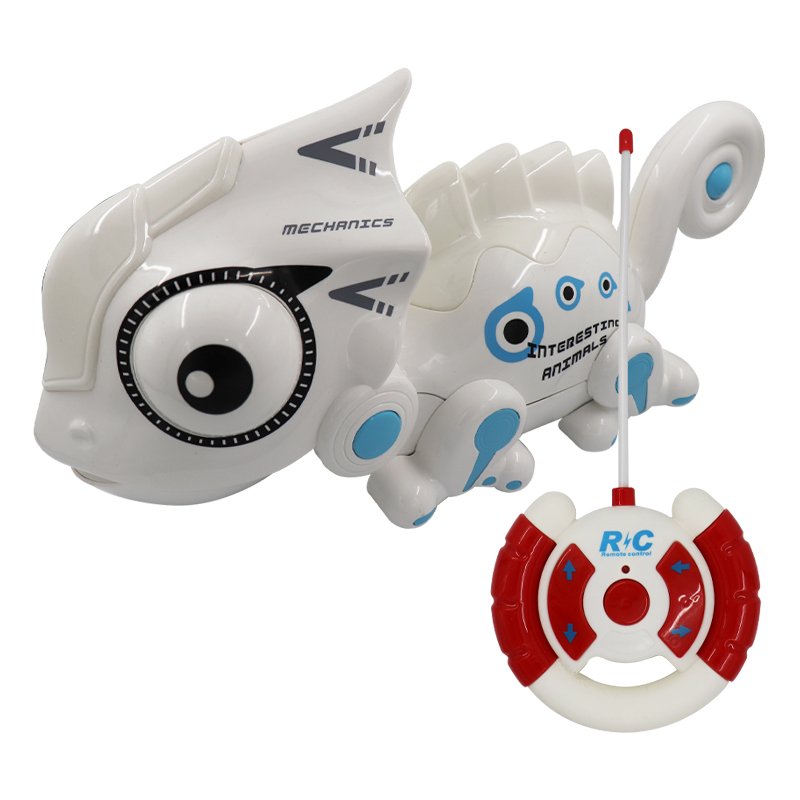
1. **Unbox and Inspect:** Begin by unboxing the Funny Chameleon 777 618 Toys and carefully inspecting all the components to ensure everything is included and in good condition. This typically includes the chameleon toy itself, the remote control, batteries, and any additional accessories.
2. **Power Up:** Install batteries into both the remote control and the chameleon toy as per the instructions provided in the user manual. Make sure to insert the batteries correctly to avoid any connectivity issues.
3. **Sync the Remote:** Turn on the remote control and then power on the chameleon toy. Follow the pairing instructions outlined in the user manual to synchronize the remote control with the toy. This usually involves pressing specific buttons or following a sequence of steps until the remote and the toy connect successfully.
4. **Explore Features:** Familiarize yourself with the controls on the remote, including directional buttons, speed adjustments, and any special features unique to the Funny Chameleon 777 618 Toys. Experiment with different movements and actions to see how the toy responds.
5. **Playtime:** Once you’re comfortable with the controls, let the fun begin! Use the remote control to guide the chameleon toy around your living space, entertaining yourself and others with its amusing movements and antics. Whether you’re chasing after it or watching it scurry around, the Funny Chameleon 777 618 Toys promise hours of enjoyment for both kids and adults alike.
Hot Wheels Formula 1
Mercusys BE3600 Dual Band Wi-Fi 7 Router MR25BE
Mercusys AX3000 Dual-Band Wi-Fi 6 Router MR80X
Maisto Metal Car Porsche 911 GT3 Size 1.18 36458
OMNIKEY 3121 CARD READER
SONY PS4 Toukiden2 GAME CD
SONY PS4 UFC 4 GAME CD
Cle Usb Fridge
Bm 13k Bee Melodica
Belkin F2CU012bt Mixit Cable Usb A to Micro 3mtr
Google Fitbit Edge Fitness & Health Tracking Smart Band Black
Sandisk Flash Drive i-xpand Dual Luxe 64GB Type-C to Lightning
New Arrivals
Offers
Service & Repair


There are no reviews yet.