1. **Load Film**: Open the back cover of the Instax Mini 8 by pulling up on the film cover latch. Insert a pack of Instax Mini film into the film compartment, ensuring that the yellow markers on the film pack and camera align properly.
2. **Close the Cover**: Gently close the back cover until it clicks into place. Make sure it’s securely closed to prevent light leaks.
3. **Turn On**: Locate the power button on the side of the camera. Press it to turn the camera on. The lens will extend, and the camera will be ready to use.
4. **Adjust Brightness**: The Instax Mini 8 features automatic exposure measurement, but you can still adjust the brightness settings manually if needed. Rotate the brightness adjustment dial on the lens barrel to the appropriate setting for your shooting conditions. Options include indoor, cloudy, sunny, and very sunny.
5. **Compose Your Shot**: Look through the viewfinder and compose your shot. The viewfinder provides a rough approximation of what the final photo will look like, but keep in mind that the actual captured image may differ slightly.
6. **Focus**: The Instax Mini 8 has a fixed focus lens, so you don’t need to worry about focusing. Just make sure your subject is within the recommended shooting distance, usually around 0.6 meters (2 feet) to infinity.
7. **Take the Photo**: Once you’re ready, press the shutter button located next to the lens. The camera will emit a mechanical sound, indicating that the photo has been taken.
8. **Wait for Development**: After taking the photo, wait for it to develop. The image will gradually appear on the film, starting to form within a few seconds and fully developing in about 5-10 minutes.
9. **Avoid Light Exposure**: While the photo is developing, avoid exposing it to direct sunlight or bright light sources. Keep it shielded in your hand or place it face down to protect it from light.
10. **Enjoy Your Photo**: Once the photo has fully developed, remove it from the camera and admire your instant masterpiece! Share it with friends or keep it as a cherished memento.
11. **Turn Off**: After you’re done shooting, remember to turn off the camera by pressing the power button again. This helps conserve battery life for your next photo adventure.
By following these steps, you can easily capture memories and create instant prints with the FUJIFILM Instax Mini 8 in white.
BBurago Metal Car Ferrari 296 GTB Size 1.18 18-16018
Belkin F2CU012bt Mixit Cable Usb A to Micro 3mtr
Google Fitbit Edge Fitness & Health Tracking Smart Band Green
Hot Wheels Deutschland Design
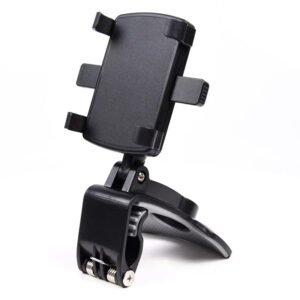
ADJUSTABLE CAR PHONE HOLDER
Boya By Wm4 Pro K3 2.4ghz Wireless Microphone System
SONY PS4 FINAL FANTASY VII GAME CD
Lavalier Microphone Lj02
Bm 13k Bee Melodica
Cleo Plastic Recorder
Dlc Water Boiler 33250 50L
Behringer Rx 1202Fx V2 12 Input Mixer
Boya Wireless Microphone By Wm4 Pro
Toa Bs 1034w Speaker
Apple Ipad Pro 12.9" 4th Gen Smart Keyboard Folio
Candc DC C9 Cardioid Microphone
New Arrivals
Offers
Service & Repair


There are no reviews yet.