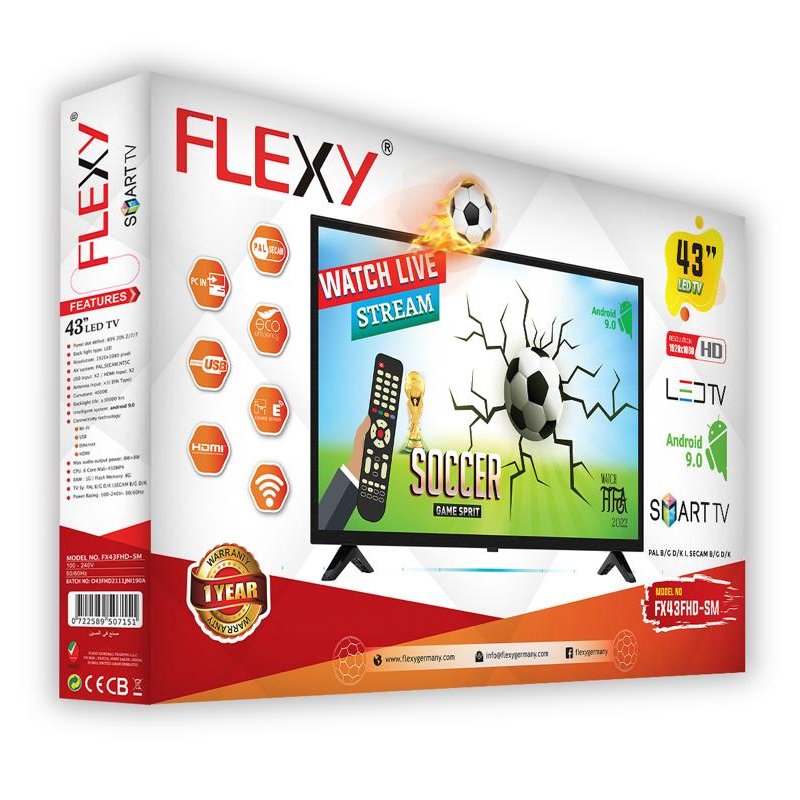
1. **Unboxing and Setup**: Begin by carefully unboxing the FLEXY FX43HD-SM 43-inch Smart LED TV, ensuring all components such as the remote control, power cord, and user manual are present. Place the TV on a stable surface and remove any packaging materials.
2. **Power On and Initial Setup**: Plug in the power cord and turn on the TV using either the power button or the remote control. Follow the on-screen instructions to complete the initial setup process, including selecting your language, connecting to Wi-Fi, and scanning for available channels.
3. **Connect External Devices**: Utilize the available HDMI, USB, and other ports on the TV to connect external devices such as a cable or satellite box, gaming console, or streaming device. Ensure all connections are secure and properly configured.
4. **Explore Smart Features**: Familiarize yourself with the smart features of the FLEXY FX43HD-SM TV, including access to streaming apps, internet browsing, and screen mirroring capabilities. Navigate through the user interface using the remote control to discover and enjoy your favorite content.
5. **Adjust Settings and Enjoy**: Customize the TV settings according to your preferences, including picture and sound settings, network preferences, and parental controls. Sit back, relax, and immerse yourself in an exceptional viewing experience with the FLEXY FX43HD-SM 43-inch Smart LED TV.

 Apple Ipad Pro 12.9" 4th Gen Smart Keyboard Folio
1 × 94.900 OMR
Apple Ipad Pro 12.9" 4th Gen Smart Keyboard Folio
1 × 94.900 OMR  ONTEN USB to HDMI Adapter
1 × 8.900 OMR
ONTEN USB to HDMI Adapter
1 × 8.900 OMR  DOBE PS4 TP4 023B Charging STAND
1 × 6.900 OMR
DOBE PS4 TP4 023B Charging STAND
1 × 6.900 OMR  DOBE PS4 TP4 016 Mobile Phone CLAMP
1 × 1.900 OMR
DOBE PS4 TP4 016 Mobile Phone CLAMP
1 × 1.900 OMR  New Arrivals
 Offers
 Service & Repair



There are no reviews yet.