1. **Power On and Source Selection**: Begin by powering on the FEPE FP-270BT-S Music Player using the designated power button or switch. Once powered on, select the desired playback source—whether it’s Bluetooth, USB, or radio—using the mode selector button or switch.
2. **Bluetooth Pairing**: If opting for Bluetooth playback, activate Bluetooth mode on your smartphone or other compatible device. Then, press the Bluetooth pairing button on the FEPE FP-270BT-S and follow the on-screen instructions to pair the devices. Once connected, you can wirelessly stream your favorite music.
3. **USB Playback**: For USB playback, insert a USB flash drive containing MP3 files into the USB port on the FEPE FP-270BT-S. The device will automatically detect the USB drive and start playing the stored music files. Use the control buttons to navigate through tracks and adjust the volume as desired.
4. **Radio Tuning**: To listen to FM radio stations, switch to radio mode on the FEPE FP-270BT-S. Use the tuning dial or buttons to scan through available frequencies and find clear stations. Once tuned in, adjust the volume to your preferred level using the volume control.
5. **Enjoyment and Portability**: With its compact design and versatile playback options, the FEPE FP-270BT-S Music Player is perfect for enjoying music at home, in the office, or on the go. Whether you prefer streaming via Bluetooth, playing MP3s from a USB drive, or listening to radio stations, this device provides convenient entertainment wherever you are.
Following these steps will allow you to set up and enjoy the FEPE FP-270BT-S USB BT Music Player with Radio effortlessly.

 XBOX ONE TOM CLANCY'S THE DIVISON 2 GAME CD
1 × 12.800 OMR
XBOX ONE TOM CLANCY'S THE DIVISON 2 GAME CD
1 × 12.800 OMR  Insta 360 Action Camera Ace Pro Black
1 × 154.800 OMR
Insta 360 Action Camera Ace Pro Black
1 × 154.800 OMR  Cleo-EL Pocket Action Camera 4k 360 NGB 685
1 × 19.800 OMR
Cleo-EL Pocket Action Camera 4k 360 NGB 685
1 × 19.800 OMR  Boya Lavalier Microphone By M40d
1 × 20.000 OMR
Boya Lavalier Microphone By M40d
1 × 20.000 OMR  Cleo Plastic Recorder
1 × 0.700 OMR
Cleo Plastic Recorder
1 × 0.700 OMR 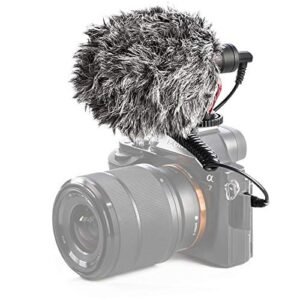 Candc DC C9 Cardioid Microphone
1 × 3.500 OMR
Candc DC C9 Cardioid Microphone
1 × 3.500 OMR  DOBE PS4 TP4 016 Mobile Phone CLAMP
1 × 1.900 OMR
DOBE PS4 TP4 016 Mobile Phone CLAMP
1 × 1.900 OMR  New Arrivals
 Offers
 Service & Repair


There are no reviews yet.