1. **Power Connection**: Locate a suitable power source and connect the power cord of the DYNACORD PCL 1240T amplifier to it. Ensure that the power outlet matches the voltage requirements specified on the amplifier’s label to avoid damage.
2. **Input Connection**: Identify the audio sources you wish to connect to the amplifier. The DYNACORD PCL 1240T typically features multiple input options such as microphone inputs, line inputs, and possibly auxiliary inputs. Depending on your setup, use appropriate cables to connect the audio sources to the corresponding input ports on the amplifier.
3. **Output Connection**: Determine the output devices or speakers you intend to use with the amplifier. The amplifier is designed to work with 100V line systems, so ensure that your speakers or output devices are compatible. Connect the output terminals of the amplifier to the input terminals of the speakers using suitable speaker cables.
4. **Volume and Tone Adjustment**: Adjust the volume and tone settings on the amplifier according to your preferences and requirements. The DYNACORD PCL 1240T typically features knobs or sliders for adjusting volume levels, as well as tone controls for adjusting bass, midrange, and treble frequencies. Experiment with these settings to achieve the desired sound quality.
5. **Testing and Fine-Tuning**: Once all connections are made and settings are adjusted, power on the amplifier and test the audio output. Play some audio through the connected sources and speakers to ensure everything is functioning correctly. Fine-tune the volume and tone settings as needed to optimize the audio performance.

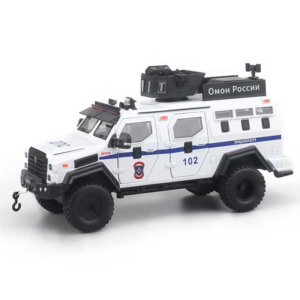 Cleo-TY Metal Car Armored Vehicle 1901-323 Size 1.24
1 × 5.900 OMR
Cleo-TY Metal Car Armored Vehicle 1901-323 Size 1.24
1 × 5.900 OMR  Boya By Wm8 Pro K2 Uhf Dual Channel Wireless Microphone
1 × 76.800 OMR
Boya By Wm8 Pro K2 Uhf Dual Channel Wireless Microphone
1 × 76.800 OMR  New Arrivals
 Offers
 Service & Repair


There are no reviews yet.