
-
×
 USAMS Iphone 11 Pro Metal Camera Lens Glass Film
1 × 1.900 OMR
USAMS Iphone 11 Pro Metal Camera Lens Glass Film
1 × 1.900 OMR
Subtotal: 1.900 OMR
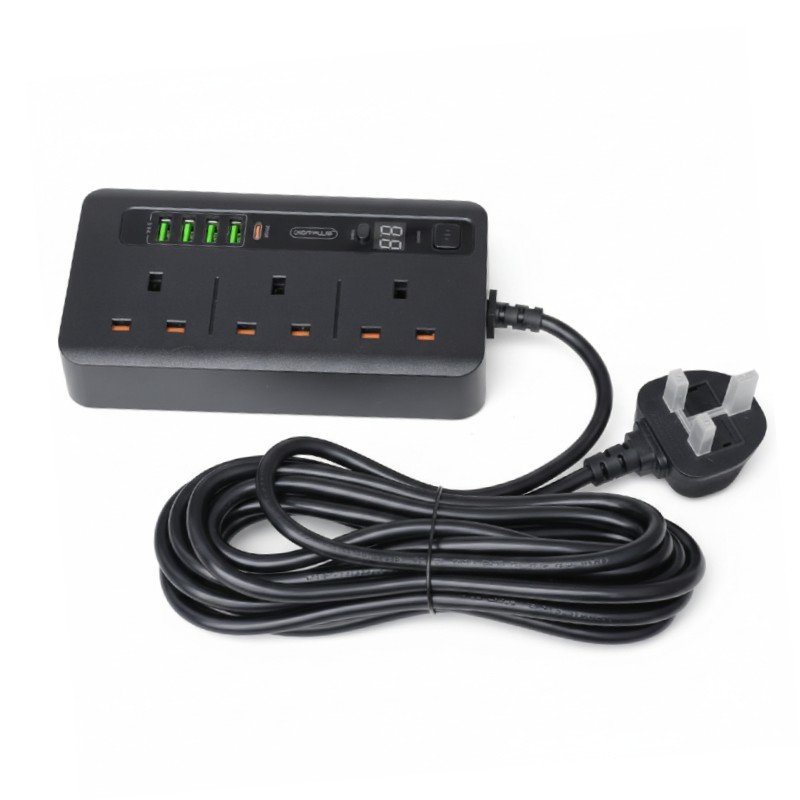
SKU: DigitPlus Extension DP-034PD 2M POWER SOCKET
Out of stock
The DigitPlus Extension DP-034PD 2M POWER SOCKET is a convenient solution for powering multiple devices simultaneously. With its 2-meter length, it provides ample reach for various setups. Featuring multiple power sockets, it allows users to connect several appliances or electronic devices at once, making it ideal for offices, homes, or entertainment centers. The extension is designed with safety in mind, incorporating protective measures to prevent electrical hazards. Its compact and durable design ensures both convenience and reliability, making it a practical addition to any space.
Out of stock
1. **Unbox and Inspect**: Begin by carefully unboxing the DigitPlus Extension DP-034PD 2M POWER SOCKET. Inspect the extension cord for any visible damage or defects. Ensure that all components are intact and in good condition before proceeding.
2. **Identify Power Source**: Locate the nearest power outlet or socket where you intend to connect the extension cord. Ensure that the power source meets the necessary electrical requirements and is compatible with the extension.
3. **Connect to Power Source**: Plug the male end of the DigitPlus Extension DP-034PD 2M POWER SOCKET into the power outlet or socket. Ensure that the connection is secure and snug to prevent any loose connections or interruptions in power supply.
4. **Connect Devices**: Identify the electronic devices or appliances you wish to power using the extension cord. Plug the respective power plugs of these devices into the available power sockets on the DigitPlus Extension DP-034PD 2M POWER SOCKET. Make sure not to overload the extension beyond its specified capacity to avoid overheating or electrical hazards.
5. **Power On and Test**: Once all devices are connected, switch on the power supply using any available switches or buttons on the devices themselves or on the extension cord if applicable. Verify that all connected devices are receiving power and functioning as expected. Monitor the extension cord and connected devices for any signs of overheating or irregularities during use.
| Weight | 1 kg |
|---|
 New Arrivals
 Offers
 Service & Repair


There are no reviews yet.