1. **Setup**: Place the DigitPlus DP-S25Pro Wireless Charger on a flat, stable surface. Ensure that it’s connected to a power source using the provided cable and adapter.
2. **Device Placement**: Identify the different charging areas on the charger for various devices, such as smartphones, smartwatches, and earbuds. Position your devices on the corresponding charging pads or slots. Ensure that they are properly aligned for optimal charging efficiency.
3. **Charging**: Once your devices are placed correctly on the charger, the charging process will begin automatically. The charger supports wireless charging for Qi-enabled smartphones and smartwatches. For devices that require a cable connection, such as earbuds or non-Qi-compatible devices, plug them into the appropriate USB ports on the charger.
4. **Monitoring**: Keep an eye on the LED indicators on the charger to monitor the charging status of each device. The indicators will typically change color or flash to indicate charging, fully charged, or any potential issues.
5. **Completion and Removal**: Once your devices are fully charged, remove them from the charger. For wireless charging, simply lift the devices off the charging pads. For devices connected via USB, unplug them from the charger. Ensure that all devices are removed before turning off or disconnecting the charger from the power source.
By following these steps, you can effectively use the DigitPlus DP-S25Pro 7-in-1 Multifunction Wireless Charger to conveniently charge multiple devices simultaneously.

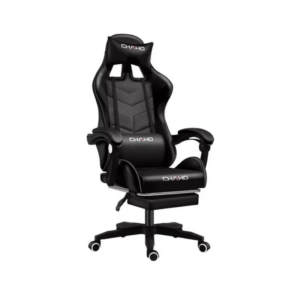 Cleo-GA Chaho Gaming Chair YT-055
1 × 29.900 OMR
 SONY PS4 TOM CLANCY'S RAINBOW SIX SIEGE GAME CD
1 × 17.700 OMR
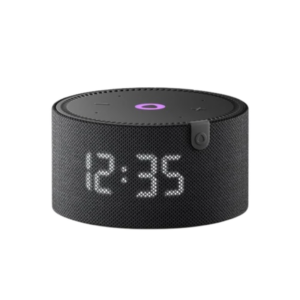 Yasmina Mini Smart Portable Bluetooth Speaker Black
1 × 24.900 OMR
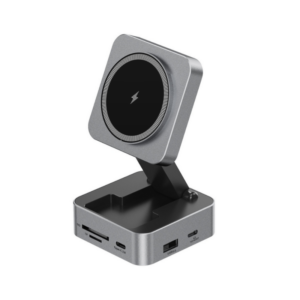 Digitplus DP K013 Usb-C 10 in1 Wireless Charger with Multifunctional Hub
1 × 8.900 OMR
 Bm 13k Bee Melodica
1 × 5.900 OMR
 Apple Ipad Pro 12.9" 4th Gen Smart Keyboard Folio
1 × 94.900 OMR
 New Arrivals
 Offers
 Service & Repair


There are no reviews yet.