
 New Arrivals
 Offers
 Service & Repair

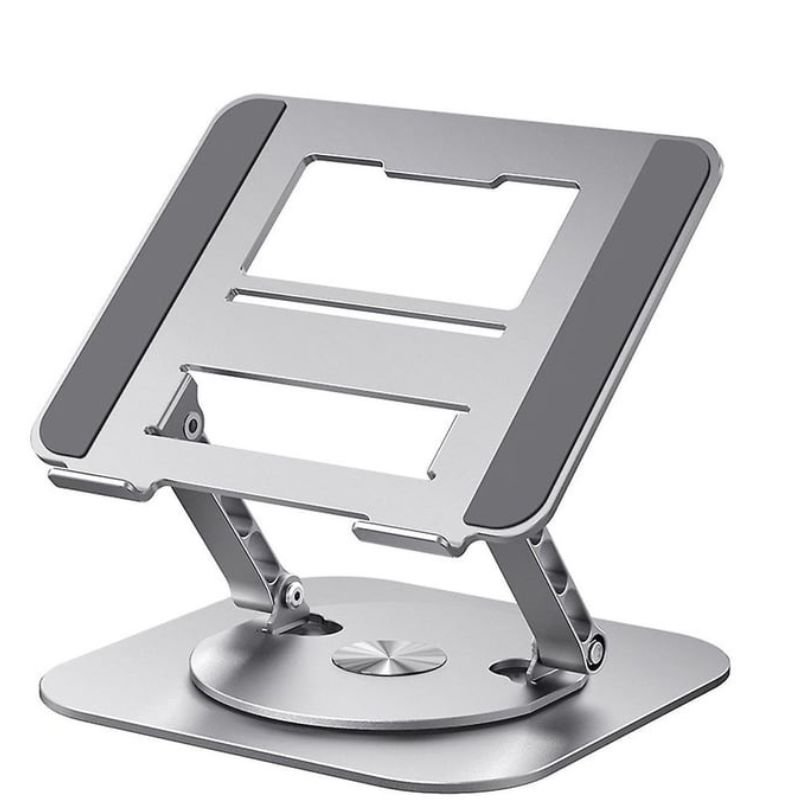
DigitPlus DP H107 Laptop And Tablet Stand
SKU: DigitPlus DP H107 Laptop And Tablet Stand
Out of stock
The DigitPlus DP H107 Laptop and Tablet Stand is a versatile and adjustable stand designed to enhance comfort and productivity while using laptops and tablets. With its sturdy build and adjustable angles, it offers stability and customizable viewing positions for ergonomic use. Whether you’re working, studying, or streaming content, this stand provides a hands-free solution, promoting better posture and reducing strain on the neck and shoulders. Compact and portable, it’s ideal for home, office, or travel use, making it a convenient accessory for users seeking ergonomic comfort and versatility in device usage.
Out of stock
1. **Setup the Stand**: Unfold the DigitPlus DP H107 Laptop and Tablet Stand and place it on a stable surface such as a desk or table. Ensure that the stand is fully extended and the legs are securely locked in place.
2. **Adjust the Angle**: The DigitPlus DP H107 Stand features adjustable angles to accommodate different viewing preferences. Locate the angle adjustment mechanism, typically found on the hinge or base of the stand. Adjust the angle of the stand to your desired position, whether you prefer a more upright or reclined viewing angle.
3. **Place Your Laptop or Tablet**: Once you’ve set the desired angle, place your laptop or tablet onto the stand. The stand should securely hold your device in place, providing stability and preventing it from slipping or sliding.
4. **Stabilize Your Device**: Ensure that your laptop or tablet is properly positioned and stable on the DigitPlus DP H107 Stand. Adjust the stand if necessary to provide a secure and comfortable viewing experience.
5. **Enjoy Hands-Free Use**: With your device securely mounted on the stand, you can now enjoy hands-free use of your laptop or tablet. Whether you’re working, watching videos, or browsing the web, the DigitPlus DP H107 Stand offers convenience and comfort for extended use.
There are no reviews yet.