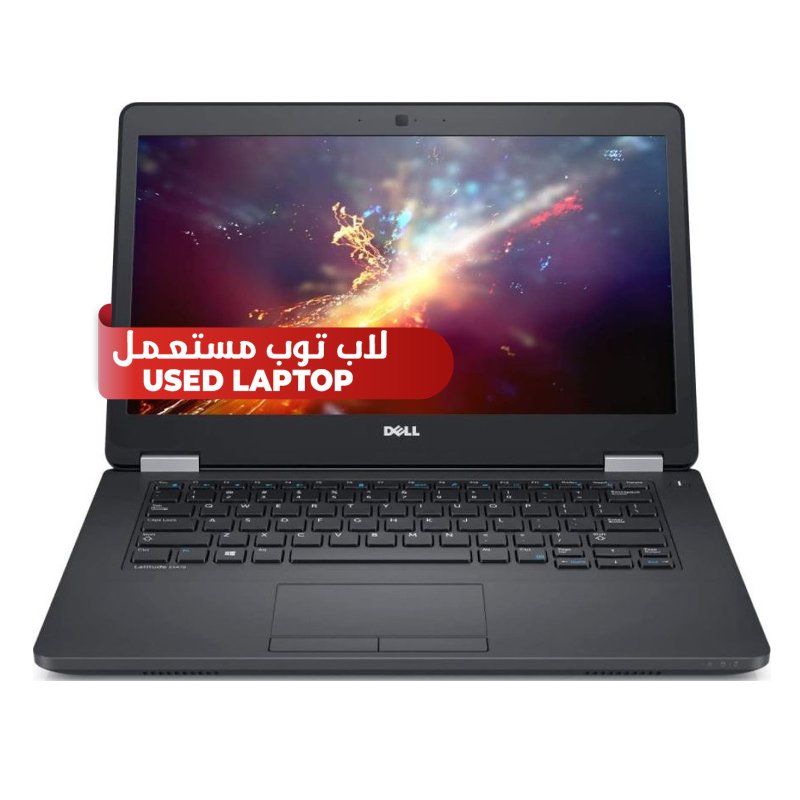
1. **Physical Examination**: Begin by inspecting the Dell Latitude E5470 i5 6th Gen. used laptop for any visible signs of wear and tear, including scratches, dents, or scuffs on the exterior casing and screen. Pay close attention to the keyboard, trackpad, and ports for any damage or signs of excessive wear.
2. **Power On and Boot-Up**: Press the power button to turn on the laptop and observe the boot-up process. Note the time it takes for the operating system to load and ensure that the laptop successfully boots into the desktop without encountering any errors.
3. **Performance Evaluation**: Test the performance of the Dell Latitude E5470 by opening multiple applications or programs simultaneously to assess its multitasking capabilities. Evaluate the responsiveness of the system and check for any lag or slowdowns during operation.
4. **Connectivity Assessment**: Verify the functionality of the various connectivity options, including Wi-Fi, Bluetooth, USB ports, and audio jacks. Test the connectivity by connecting to a Wi-Fi network, pairing with Bluetooth devices, and plugging in external peripherals to ensure they are recognized and function properly.
5. **Battery Life and Charging**: Assess the battery life and charging capability of the Dell Latitude E5470 to determine its suitability for portable use. Monitor the battery percentage while using the laptop and observe how long it lasts on a single charge. Additionally, check the charging process to ensure it charges properly without any issues.

 Texas BA II PLUS PROFESSIONAL ADVANCED FINANCIAL CALCULATOR
1 × 32.900 OMR
 Google Fitbit Air Active Band Berry Silicon Strap
1 × 20.900 OMR
 used Nokia 3109
1 × 17.900 OMR
 New Arrivals
 Offers
 Service & Repair




There are no reviews yet.