1. **Setup**: Place the Cute Elf Lamp on a stable surface in the desired location, ensuring it’s within reach of a power outlet.
2. **Power On**: Plug the lamp into a power source using the provided power adapter. Turn on the lamp using the power switch located on the lamp itself.
3. **Connect Bluetooth**: Activate the Bluetooth function on your smartphone or other compatible device. Search for available Bluetooth devices and select the Cute Elf Lamp to pair it with your device.
4. **Projection Mode**: Use the remote control to select the desired projection mode. The Cute Elf Lamp offers various projection themes, such as stars, moons, or cute animals. Adjust the focus of the projection as needed for optimal clarity.
5. **Play Music**: Once connected via Bluetooth, play your favorite music or audio content on your paired device. Adjust the volume using the controls on your device or the volume buttons on the Cute Elf Lamp’s remote control.
Following these steps will help you set up and enjoy the features of the Cute Elf Projection Remote Control & Bluetooth Speaker Lamp, adding both visual and auditory ambiance to your space.

 Bm 13k Bee Melodica
1 × 5.900 OMR
Bm 13k Bee Melodica
1 × 5.900 OMR 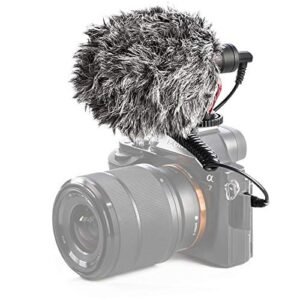 Candc DC C9 Cardioid Microphone
1 × 3.500 OMR
Candc DC C9 Cardioid Microphone
1 × 3.500 OMR  DOBE PS4 TP4 016 Mobile Phone CLAMP
1 × 1.900 OMR
DOBE PS4 TP4 016 Mobile Phone CLAMP
1 × 1.900 OMR  New Arrivals
 Offers
 Service & Repair


There are no reviews yet.