
 New Arrivals
 Offers
 Service & Repair

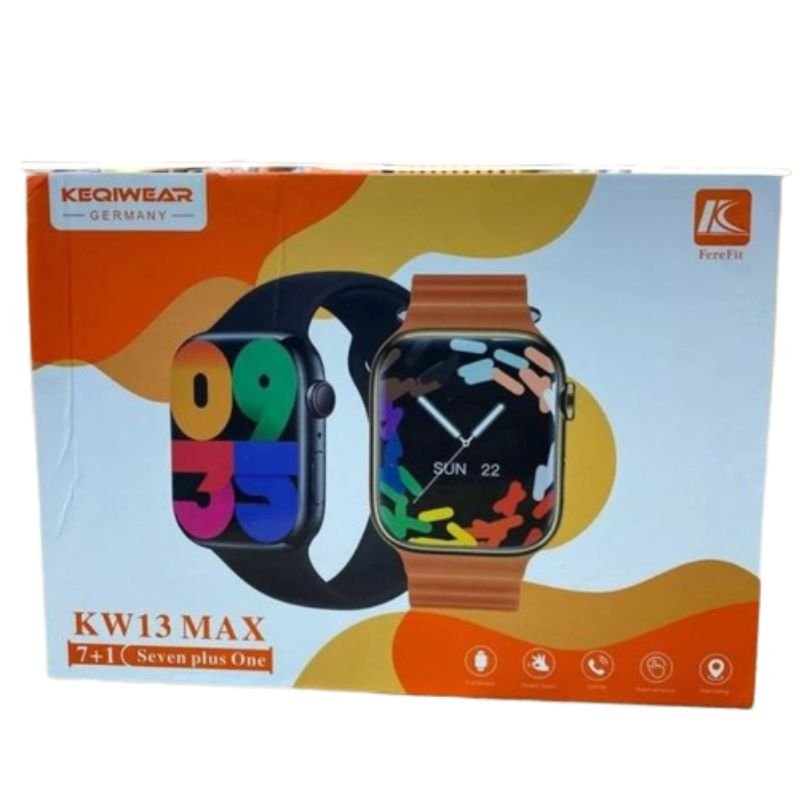
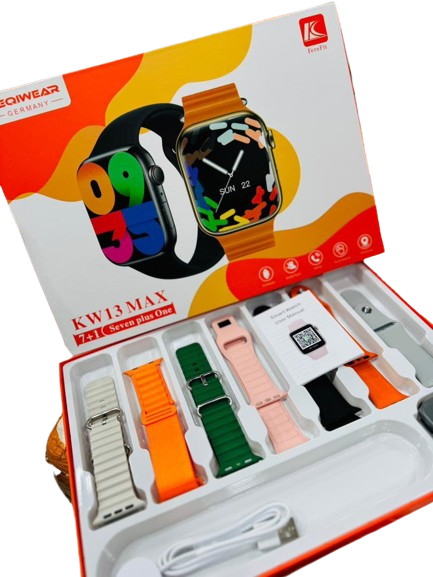
CPT KW 13Max 7+1 Smart WATCH
SKU: CPT KW 13Max 7+1 Smart WATCH
Out of stock
The CPT KW 13Max 7+1 Smart Watch is a powerful and versatile wearable device designed to elevate your daily life. With its sleek design and advanced features, it offers a seamless blend of style and functionality. Stay connected with notifications for calls, messages, and social media alerts, all conveniently displayed on its vibrant touchscreen display. Track your fitness goals with built-in activity and health monitoring features, including heart rate tracking and sleep analysis. With its long-lasting battery life and customizable watch faces, the CPT KW 13Max 7+1 Smart Watch is the perfect companion for staying organized and motivated on the go.
Out of stock
1. **Unboxing and Powering On**:
– Unbox your CPT KW 13Max 7+1 Smart Watch and ensure all components are present.
– Power on the smartwatch by pressing and holding the designated power button until the screen lights up.
2. **Pairing with Smartphone**:
– Access the Bluetooth settings on your smartphone and enable Bluetooth.
– On the CPT KW 13Max 7+1 Smart Watch, navigate to the Bluetooth menu and select “Pair a new device.”
– Choose your smartphone from the list of available devices and follow any prompts to complete the pairing process.
3. **Customizing Settings**:
– Explore the settings menu on the smartwatch to customize preferences such as display brightness, sound settings, and notification preferences.
– Adjust settings according to your preferences to optimize your experience.
4. **Syncing Notifications**:
– Ensure notification access is enabled for the CPT KW 13Max 7+1 Smart Watch on your smartphone to receive notifications directly on your wrist.
– Customize which notifications you want to receive, such as calls, messages, emails, and app alerts, through the companion app or watch settings.
5. **Exploring Features**:
– Familiarize yourself with the various features of the CPT KW 13Max 7+1 Smart Watch, including fitness tracking, heart rate monitoring, weather updates, and music control.
– Utilize these features to stay connected, track your health and fitness goals, and enhance your overall smartwatch experience.
There are no reviews yet.