Step 1: Unboxing – Open the packaging of the CPT FX-03 Gaming Headphones carefully, ensuring not to damage any components or accessories inside the box.
Step 2: Connecting – Depending on the model, you may connect the headphones to your gaming device using either a wired USB connection or a 3.5mm audio jack. Choose the appropriate cable and plug it into the corresponding port on your gaming console, PC, or mobile device.
Step 3: Powering On – If your headphones feature RGB lighting effects, you may need to power them on separately. Look for the power button or switch, usually located on one of the ear cups, and press it to activate the lights.
Step 4: Adjusting Fit – Put the headphones on and adjust the headband and ear cups for a comfortable fit. Ensure the ear cups fully cover your ears to maximize sound quality and noise isolation.
Step 5: Audio Settings – Adjust the audio settings on your gaming device to optimize the sound output for the headphones. This may include adjusting the volume, equalizer settings, or enabling virtual surround sound features.
Step 6: RGB Lighting Control (if applicable) – If your headphones feature customizable RGB lighting effects, familiarize yourself with the controls for changing colors, patterns, and brightness levels. This may involve using buttons or software controls, depending on the model.
Step 7: Testing – Play some audio or launch a game to test the sound quality and RGB lighting effects of the headphones. Adjust the volume and lighting settings to your preference using the controls provided.
Step 8: Microphone Setup (if applicable) – If your headphones include a microphone, position it correctly and adjust the boom arm to ensure clear communication with your teammates or fellow gamers.
Step 9: Gameplay – Enjoy your gaming experience with the immersive sound and vibrant RGB lighting effects provided by the CPT FX-03 Gaming Headphones. Immerse yourself in the action and communicate effectively with your team using the built-in microphone.
Step 10: Maintenance – After use, store the headphones in a safe and dry place to prevent damage. Clean the ear cushions and microphone regularly with a soft, dry cloth to remove any dirt or debris and maintain optimal performance.

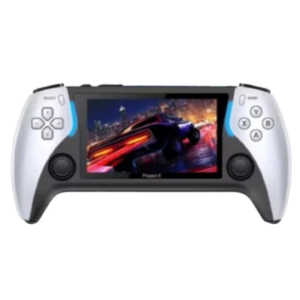 Cleo-GA Handheld Retro Gaming Console
2 × 14.900 OMR
Cleo-GA Handheld Retro Gaming Console
2 × 14.900 OMR 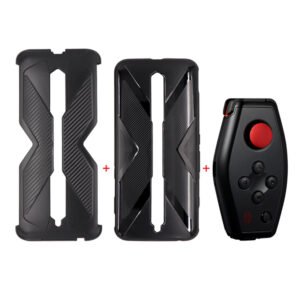 GH1001 RED MAGIC Game Handle
1 × 19.900 OMR
GH1001 RED MAGIC Game Handle
1 × 19.900 OMR  Sandisk Ultra Micro Sd Memory Card 32GB
1 × 4.500 OMR
Sandisk Ultra Micro Sd Memory Card 32GB
1 × 4.500 OMR 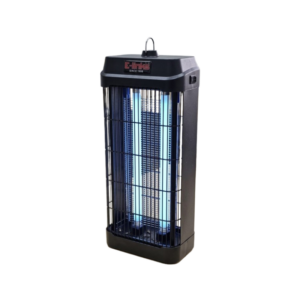 E-Links Electric Mosquito Killer RIE-IK201 20W
1 × 8.900 OMR
E-Links Electric Mosquito Killer RIE-IK201 20W
1 × 8.900 OMR  L-1 Professional Streaming Player Stand
1 × 13.900 OMR
L-1 Professional Streaming Player Stand
1 × 13.900 OMR  New Arrivals
 Offers
 Service & Repair





There are no reviews yet.