
-
×
 D Link Dlink DSL 2750U Modem Router
1 × 4.000 OMR
-
×
 Sandisk Flash Drive i-xpand Dual Luxe 64GB Type-C to Lightning
2 × 11.500 OMR
-
×
 Cle Usb Fridge
2 × 5.900 OMR
-
×
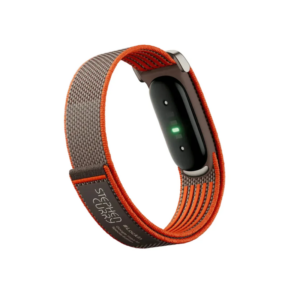 Google Fitbit Air Screen less Fitness & Health Tracking Stephen Curry Edition
1 × 61.900 OMR
-
×
 XLF SPORTS CAR RADIO CONTROL TOYS
1 × 4.000 OMR
-
×
 Google Fitbit Edge Fitness & Health Tracking Smart Band Green
5 × 86.900 OMR
-
×
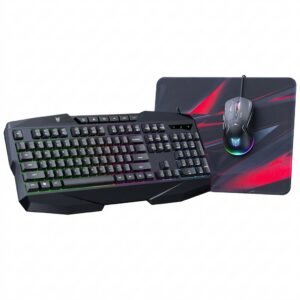 Onikuma 3-in-1 Professional Gaming Combo TZ3006
1 × 8.900 OMR
-
×
 Belkin F2CU012bt Mixit Cable Usb A to Micro 3mtr
3 × 1.900 OMR
-
×
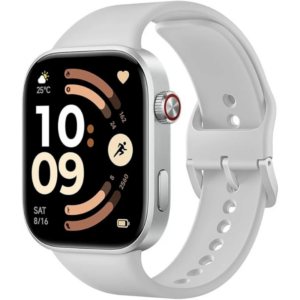 Redmi M2523 Smart Watch 6 Silver Gray
1 × 34.900 OMR
-
×
 BBurago Metal Car Ferrari 296 GTB Size 1.18 18-16018
1 × 42.900 OMR
-
×
 Hot Wheels Deutschland Design
5 × 4.900 OMR
-
×
 Apple Ipad Pro 12.9" 4th Gen Smart Keyboard Folio
2 × 94.900 OMR
-
×
 X BOX WIRELESS CONTROLLER ELECTRIC VOLT YELLOW
1 × 20.900 OMR
-
×
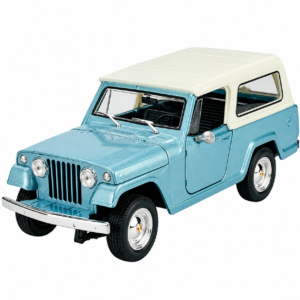 Welly Metal Car Jeep Jeepster Commando Station Wagon Size 1.24 WL-24117H-W
1 × 12.900 OMR
-
×
 Google Fitbit Edge Fitness & Health Tracking Smart Band Black
2 × 86.900 OMR
-
×
 Onikuma CW905 With RGB Light 5 Speeds DPI Precision For Esport Gamer
1 × 6.500 OMR
-
×
 Welly Metal Car Jeep Jeepster Commando Roadster Size 1.24 WL-24117C-W
1 × 12.900 OMR
-
×
 HAINO Teko Air 3 BUDS
1 × 6.200 OMR
-
×
 XP PEN STAR G430S GRAPHIC TABLET
1 × 4.250 OMR
-
×
 Boya By Wm8 Pro K2 Uhf Dual Channel Wireless Microphone
1 × 76.800 OMR
-
×
 Sony PS 4 FIFA 21 Ultimate Edition Arabic Game CD
1 × 12.800 OMR
-
×
 TP Link HD 720P CLOUD CAMERA 300 Mbps WiFi NC 250
1 × 11.900 OMR
-
×
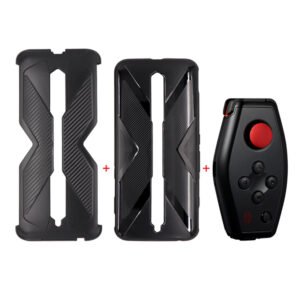 GH1001 RED MAGIC Game Handle
1 × 19.900 OMR
-
×
 DELONGHI COFFEE MACHINE ECOV311.BG
1 × 61.500 OMR
-
×
 DUDAO AUX 3.5 mm Cable Connector
2 × 3.900 OMR
-
×
 Sayona Double infrared cooker SIC 4673
1 × 24.800 OMR
-
×
 Bm 13k Bee Melodica
1 × 5.900 OMR
-
×
 Blackberry Evolve
1 × 110.000 OMR
-
×
 Biba Flute Deluxe
1 × 6.500 OMR
-
×
 Clikon CK-4286 Double Hot Plate
1 × 13.800 OMR
-
×
 Xtrike Me Wired Gaming Headphone HP-312
1 × 10.900 OMR
-
×
 Max Bms 135 Boom Mic Stand
1 × 9.500 OMR
-
×
 DOBE PS4 TP4 023B Charging STAND
1 × 6.900 OMR
-
×
 Canon GI-490 Cyan Ink
1 × 4.800 OMR
-
×
 Boya Larger Diaphragm Condenser Microphone By M1000
2 × 38.800 OMR
-
×
 SONY PS4 MX VS ATV ALL OUT GAME CD
1 × 18.800 OMR
-
×
 Boya Lavalier Microphone By M40d
1 × 20.000 OMR
-
×
 Used Nokia 5310 Express Music
1 × 25.800 OMR
-
×
 Cleo-TY Metal Pickup Blue 79388 1-24 Ford
1 × 7.800 OMR
-
×
 MOULINEX Citrus juicer PC302B27
1 × 8.200 OMR
-
×
 ENGENIUS EDS 1130 Smart Camera
1 × 22.400 OMR
-
×
 Denx Hand Blender DX2023
1 × 7.900 OMR
Subtotal: 1,655.650 OMR
 New Arrivals
 Offers
 Service & Repair


There are no reviews yet.