1. **Unboxing and Preparation**: Start by unboxing the COMMAX WI-4C wireless intercom system and its accessories. Ensure all components are present, including the main unit, handsets, power adapters, and any mounting hardware.
2. **Power On and Pairing**: Plug in the main unit and the handsets to power sources using the provided power adapters. Turn on the main unit and each handset. Follow the pairing instructions in the user manual to synchronize the handsets with the main unit. Typically, this involves pressing a designated button on both the main unit and each handset until they establish a connection.
3. **Channel Selection**: The COMMAX WI-4C offers four channels for communication. Select the desired channel on both the main unit and the handsets using the channel selection buttons. Ensure all units are set to the same channel to enable communication between them.
4. **Testing**: Test the intercom system to ensure it’s functioning correctly. Press the call button on one handset to initiate a call to the main unit or another handset. Verify that you can communicate between handsets by speaking into the microphone and listening through the speaker.
5. **Placement and Mounting**: Decide on the optimal locations to place the main unit and handsets within your home or office. Mount the main unit on a wall or set it on a stable surface using the provided mounting hardware or adhesive. Mount or place the handsets in convenient locations for easy access and communication.

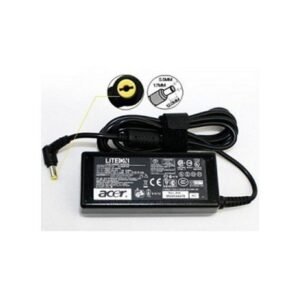 Acer Laptop Charger 5.5 Extensa Series Original 19V 3.42A
1 × 9.000 OMR
Acer Laptop Charger 5.5 Extensa Series Original 19V 3.42A
1 × 9.000 OMR  Sony Ps 5 Spider Man Miles Morales CD
1 × 9.900 OMR
Sony Ps 5 Spider Man Miles Morales CD
1 × 9.900 OMR  DOBE PS4 TP4 023B Charging STAND
2 × 6.900 OMR
DOBE PS4 TP4 023B Charging STAND
2 × 6.900 OMR  SONY PS4 DEATH STRANDING MEA GAME CD
1 × 18.800 OMR
SONY PS4 DEATH STRANDING MEA GAME CD
1 × 18.800 OMR  New Arrivals
 Offers
 Service & Repair


There are no reviews yet.