
-
×
 DMK Power Mini 1 LED Light
1 × 13.450 OMR
-
×
 Tovaste Ms 306 Mic Stand Boom Arm
1 × 12.000 OMR
-
×
 SONY PS4 TOM CLANCY'S RAINBOW SIX SIEGE GAME CD
1 × 17.700 OMR
-
×
 SONY PS4 Toukiden2 GAME CD
1 × 7.700 OMR
-
×
 Biba Flute Deluxe
1 × 6.500 OMR
-
×
 NEWSTAR 35 505K UNIVERSAL CAR HOME LAPTOP ADAPTER
1 × 5.000 OMR
-
×
 USB DATA CABLE PS4
1 × 1.900 OMR
-
×
 Cleo-TY Metal Car Ferrari 250 GTO Size 1.24
1 × 7.900 OMR
-
×
 Uk Link Dc (F) Connector
1 × 0.600 OMR
-
×
 Max Bms 135 Boom Mic Stand
3 × 9.500 OMR
-
×
 L-1 Professional Streaming Player Stand
1 × 13.900 OMR
-
×
 OCULUS QUEST2 ELITE STRAP with BATTERY and CARRYING CASE
1 × 36.400 OMR
-
×
 Dell Essential BackPack 15.6" Black
1 × 5.800 OMR
-
×
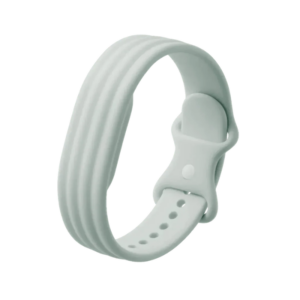 Google Fitbit Air Active Band Fog Silicon Strap
1 × 20.900 OMR
-
×
 Cle Usb Fridge
2 × 5.900 OMR
-
×
 SONY PS4 CD DOOM
1 × 10.800 OMR
-
×
 Earldom Phone Holder ET EH293 For Cycle
1 × 1.300 OMR
Subtotal: 202.150 OMR
 New Arrivals
 Offers
 Service & Repair


There are no reviews yet.