
-
×
 OTVO P4 USB DATA CABLE (For P4 Host & Handle)
1 × 1.900 OMR
OTVO P4 USB DATA CABLE (For P4 Host & Handle)
1 × 1.900 OMR
Subtotal: 1.900 OMR
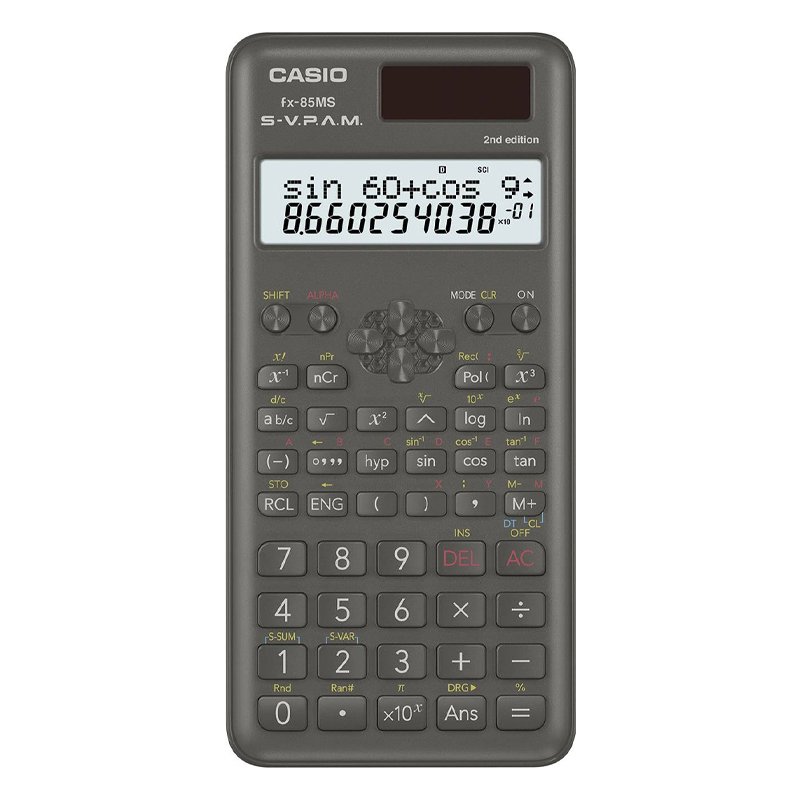
SKU: CASIO FX-85MS 2nd EDITION
In stock
4.500 OMR
In stock
1. **Power On**: Press the “ON” button to power on the calculator. The display should light up, indicating that it is ready for use.
2. **Enter Numbers and Operations**: Use the keypad to enter numbers and mathematical operations. The FX-85MS supports basic arithmetic operations such as addition (+), subtraction (-), multiplication (×), and division (÷).
3. **Perform Scientific Functions**: Utilize the scientific functions available on the calculator by pressing the corresponding buttons. These functions include trigonometric functions (sin, cos, tan), logarithms (log), exponentials (exp), and more. Refer to the user manual for specific button layouts and functions.
4. **Clear Errors**: If you make a mistake while entering numbers or performing operations, use the “CLR” or “AC” button to clear the display and start over.
5. **Power Off**: When you’re finished using the calculator, press the “OFF” button to power it off and conserve battery life.
By following these steps, you can effectively use the Casio FX-85MS 2nd Edition Scientific Calculator to perform various mathematical calculations and scientific functions with ease.
– About item:
* Easy to learn modern wind instrument for young and old to make their own music.
* It is also exceedingly useful in musical education as an introduction to all keyboard instruments.
* Ideal for anyone interested in learning the melodica, t
– GAMERS’ GOOD NEWS: Say goodbye to the painful control on your smart phone.
– LARGE CAPACITY:Maximum support of 6-inch mobile phone.
– 2 in 1 holder: With an OTG cable you can enjoy your game with PS4 controller and it can be a smart mount itself.
– R
 New Arrivals
 Offers
 Service & Repair


There are no reviews yet.