
 New Arrivals
 Offers
 Service & Repair

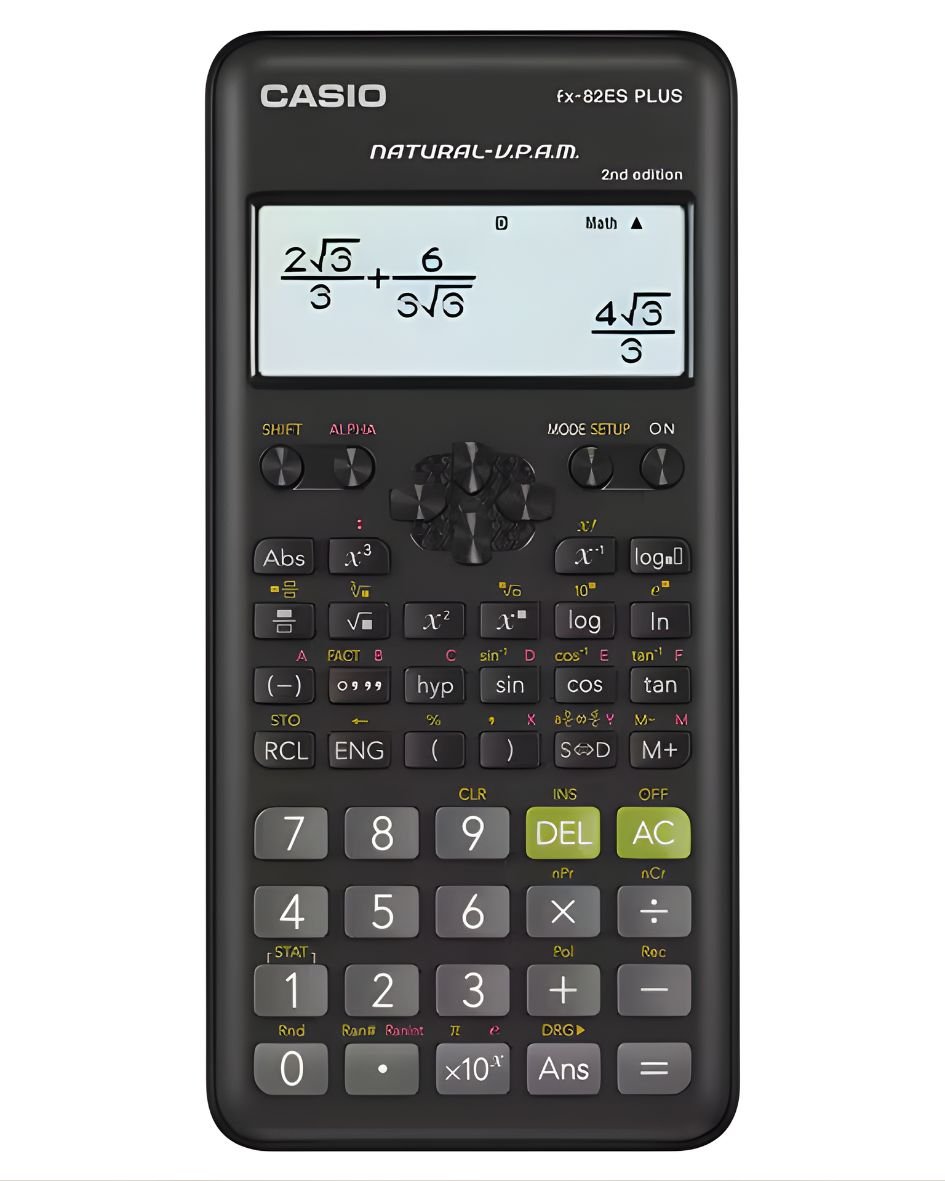
CASIO FX 82ES PLUS SCIENTIFIC CALCULATOR
SKU: fx-82ES-PLUS
In stock
Casio fx-82ES PLUS Scientific Calculator – Standard Series
Precision, Performance, and Ease of Use
The Casio fx-82ES PLUS-2 is a powerhouse in the Casio Standard Scientific Calculator lineup. Specifically engineered for students and professionals alike, this calculator combines advanced mathematical functionality with a user-friendly interface to make complex calculations effortless.
Whether you are tackling algebraic equations, statistical data analysis, or financial ratios, the fx-82ES PLUS-2 provides the accuracy and reliability you expect from Casio.
5.800 OMR
In stock
1. **Power On/Off**: To turn on the calculator, press the “ON” button. Conversely, press the “SHIFT” button followed by the “AC” button to power off the device.
2. **Numeric Entry and Operations**: Use the keypad to input numbers and perform mathematical operations. The FX 82ES Plus supports basic arithmetic operations such as addition (+), subtraction (-), multiplication (×), and division (÷). Input the numbers followed by the desired operation, then press the “=” button to display the result.
3. **Scientific Functions**: Access scientific functions by pressing the corresponding buttons on the calculator. These functions include trigonometric functions like sine (sin), cosine (cos), tangent (tan), logarithms (log), exponentials (exp), and more. Use the “SHIFT” button to access secondary functions printed above each key.
4. **Clearing**: Correct errors or clear the display using the “DEL” key to delete the last entry or the “SHIFT” key followed by the “CLR” key to clear the entire display.
5. **Memory Functions**: Utilize memory functions to store and recall numbers. Press “STO” to store a number in memory, “RCL” to recall it, and “CLR” to clear the memory.
By following these steps, you can efficiently perform a variety of calculations and utilize the advanced scientific functions available on the Casio FX 82ES Plus Scientific Calculator.
| Weight | 1 kg |
|---|
Brand
CASIO
Based on 0 reviews
Be the first to review “CASIO FX 82ES PLUS SCIENTIFIC CALCULATOR”
Related products
-
Electronics, Stock Clearance
DOBE PS4 TP4 023B Charging STAND
All in One Design: Game console vertical stand + cooling fans + controller charging station + USB ports.
Vertical Stand: Space-saving designed exclusively for the PlayStation 4, keep your console to be used steady in a vertical position.
2 Controller Charging Ports: Charge 2 game controllers simultaneously, saving your time when need to charge the controllers.
Dual Cooling Fan: Keep your PS4 cool with the cooling system and prolong the lifespan of your PS4 console.
SKU: DOBE PS4 TP4 023B Charging STAND -
Electronics, Stock Clearance
Candc DC C9 Cardioid Microphone
– Brand: CANDC
– Polar Pattern : Cardioid
– Professional Furry Windshield Included
– Compact and Lightweight Directional Mic
– Compatible with Smartphones, Tablets, DSLR Cameras, Consumer Camcorders, Audio Recorders etcSKU: Candc DC C9 Cardioid Microphone


There are no reviews yet.