
-
×
 ROCK W24 Double side Quick CHARGER
1 × 5.200 OMR
-
×
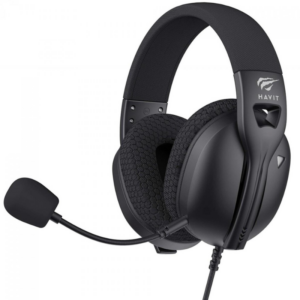 Havit HVGMH-Fuxi-H5d 3.5mm Wired Gaming Headset
1 × 9.900 OMR
-
×
 TAC TOOL 18 IN 1 HAMMER (HARD ROCK TOOLS)
1 × 3.900 OMR
-
×
 DOBE PS4 TP4 023B Charging STAND
2 × 6.900 OMR
-
×
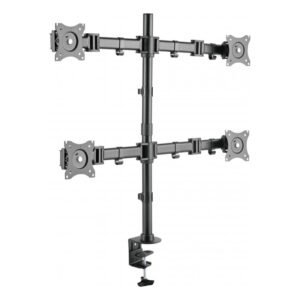 NEWSTAR 91 LDT07C048 13" 27" FULL MOTION MONITER DEST MOUNT
1 × 14.400 OMR
-
×
 Cleo-TY Mobile Hospital Set HT8123AP
1 × 8.900 OMR
-
×
 Cleo-TY Metal Jeep White 79368
1 × 7.800 OMR
-
×
 YH 31 PS4 2 in 1 Charging Heat Sink
1 × 11.900 OMR
-
×
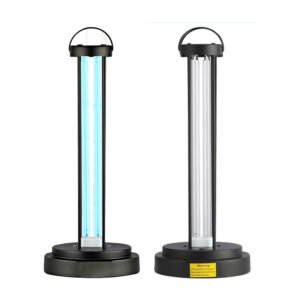 HY 015 Ultraviolet Disinfection Lamp
1 × 3.450 OMR
-
×
 Cpt Guitar 3713c
1 × 3.800 OMR
-
×
 SONY PS4 TOM CLANCY'S RAINBOW SIX SIEGE GAME CD
1 × 17.700 OMR
-
×
 Cle Usb Fridge
1 × 5.900 OMR
-
×
 SONY PS4 MX VS ATV ALL OUT GAME CD
1 × 18.800 OMR
-
×
 Bm 13k Bee Melodica
2 × 5.900 OMR
-
×
 SANDISK ULTRA 128GB DUAL DRIVE LUXE USB TYPE-C FLASH DRIVE
1 × 8.500 OMR
-
×
 Apple Ipad Pro 12.9" 4th Gen Smart Keyboard Folio
2 × 94.900 OMR
-
×
 Boya Larger Diaphragm Condenser Microphone By M1000
1 × 38.800 OMR
-
×
 Tolaye Ks06 Keyboard Stand
1 × 14.000 OMR
-
×
 Kalimba 17 Keys Finger Piano
1 × 13.800 OMR
-
×
 Max Mixer Mx 616 Bt
1 × 75.000 OMR
-
×
 DUDAO AUX 3.5 mm Cable Connector
1 × 3.900 OMR
-
×
 Boya Lavalier Microphone By M40d
1 × 20.000 OMR
-
×
 Sony PS5 Village Resident Evil Game CD
1 × 12.900 OMR
-
×
 OMNIKEY 3121 CARD READER
1 × 7.900 OMR
-
×
 Cleo Plastic Recorder
1 × 0.700 OMR
-
×
 Ahuja Utp30 Wired Tie Clip Mic
1 × 10.000 OMR
-
×
 Cleo-TY Chevy Pull Back Car 73355
1 × 7.900 OMR
-
×
 Cleo-TY Metal Car Mercedes-Benz G-Class SUV CZ118
1 × 6.800 OMR
-
×
 SONY PS4 NIOH 2 GAME CD
1 × 9.900 OMR
-
×
 Fujifilm Camera Square Film
1 × 5.500 OMR
-
×
 Boya By Wm8 Pro K2 Uhf Dual Channel Wireless Microphone
1 × 76.800 OMR
-
×
 OTVO P4 USB DATA CABLE (For P4 Host & Handle)
1 × 1.900 OMR
Subtotal: 641.350 OMR
 New Arrivals
 Offers
 Service & Repair


There are no reviews yet.