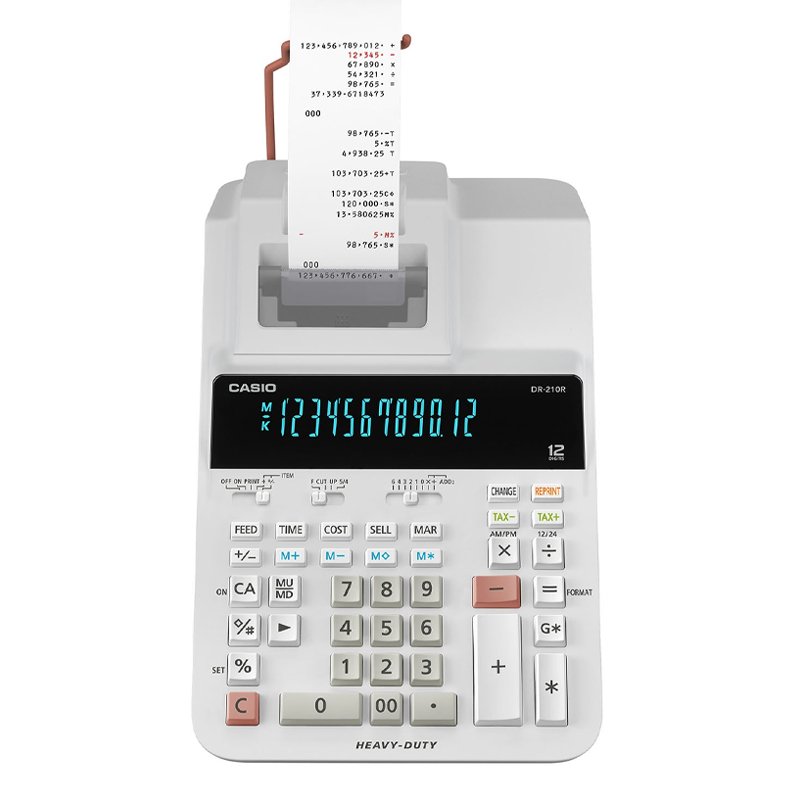
1. **Power On/Off**: Locate the power switch or button on the calculator and press it to turn on the device. To power off the calculator, press the power switch again.
2. **Numeric Entry and Calculation**: Use the keypad to enter numbers and perform calculations. The calculator supports basic arithmetic operations such as addition (+), subtraction (-), multiplication (×), and division (÷). Enter the numbers followed by the desired operation, then press the “=” button to display the result on the screen.
3. **Paper Roll Installation**: Open the paper compartment of the calculator and insert a roll of paper. Ensure that the paper roll is properly aligned and positioned for smooth operation. Close the paper compartment securely once the paper is loaded.
4. **Printing Functions**: Utilize the printing function to print out calculation results. After performing a calculation, press the “PRINT” button to print the result on the paper roll. The calculator may also have additional printing options such as date/time printing and decimal point settings, which can be adjusted according to your preferences.
5. **Maintenance**: Regularly check the paper roll to ensure that it is not running low. Replace the paper roll when necessary to avoid interruptions during calculations. Additionally, clean the calculator and keypad as needed to keep it free from dust and debris, ensuring optimal performance.
By following these steps, you can effectively use the Casio DR-210R WE Heavy Duty 12-Digit Printer Calculator for a variety of mathematical calculations and printing tasks.
Bm 13k Bee Melodica
Boya By Wm8 Pro K2 Uhf Dual Channel Wireless Microphone
Used NOKIA E90
Yasmina Mini Smart Portable Bluetooth Speaker Black
OMNIKEY 3121 CARD READER
Blue Fire Mini Jump Starter BF-J06
Cle Usb Fridge
Telionix Electric Air Fryer 9L TAF4424
Behringer Ma400 Ultra Monitor Amp
Cleo-EL Portable Power Station 300W ZHY-CN01
Google Fitbit Edge Fitness & Health Tracking Smart Band Green
Google Fitbit Edge Fitness & Health Tracking Smart Band Black
Kalimba 17 Keys Finger Piano
DOBE PS4 TP4 016 Mobile Phone CLAMP
Sony PS5 Village Resident Evil Game CD
HP SOLID STATE DRIVE SSD EX950 PRO M.2 HARDRIVE 2 TB
New Arrivals
Offers
Service & Repair

There are no reviews yet.