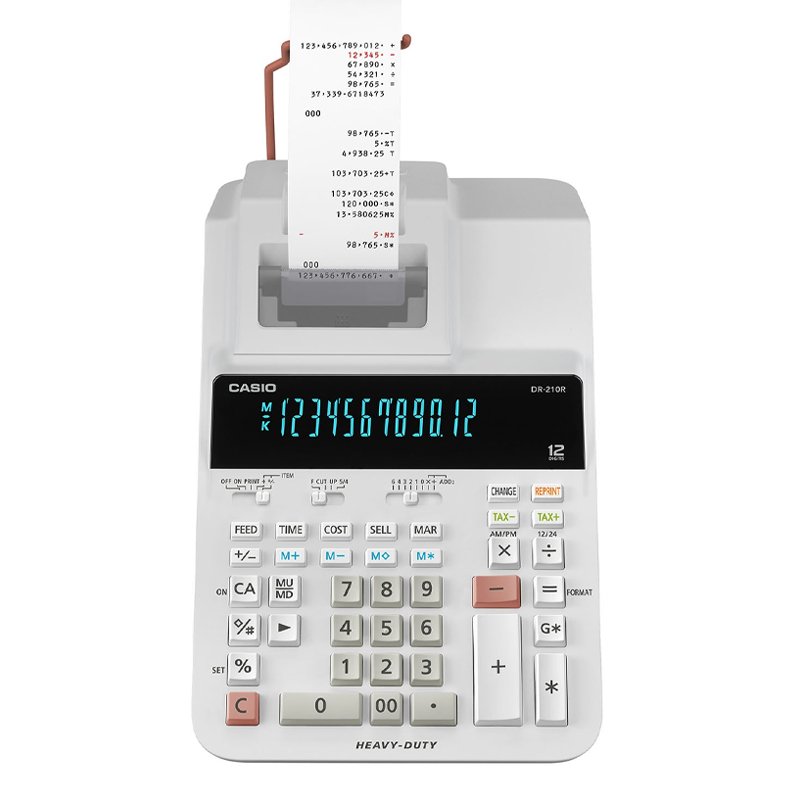
1. **Power On/Off**: Locate the power switch or button on the calculator and press it to turn on the device. To power off the calculator, press the power switch again.
2. **Numeric Entry and Calculation**: Use the keypad to enter numbers and perform calculations. The calculator supports basic arithmetic operations such as addition (+), subtraction (-), multiplication (×), and division (÷). Enter the numbers followed by the desired operation, then press the “=” button to display the result on the screen.
3. **Paper Roll Installation**: Open the paper compartment of the calculator and insert a roll of paper. Ensure that the paper roll is properly aligned and positioned for smooth operation. Close the paper compartment securely once the paper is loaded.
4. **Printing Functions**: Utilize the printing function to print out calculation results. After performing a calculation, press the “PRINT” button to print the result on the paper roll. The calculator may also have additional printing options such as date/time printing and decimal point settings, which can be adjusted according to your preferences.
5. **Maintenance**: Regularly check the paper roll to ensure that it is not running low. Replace the paper roll when necessary to avoid interruptions during calculations. Additionally, clean the calculator and keypad as needed to keep it free from dust and debris, ensuring optimal performance.
By following these steps, you can effectively use the Casio DR-210R WE Heavy Duty 12-Digit Printer Calculator for a variety of mathematical calculations and printing tasks.
SONY PS4 Rock of Ages 3 Game CD
Logitech Wireless Headset Zone Vibe 100 Graphite
Candc DC C9 Cardioid Microphone
CPT 73302 1-24 Chrysler Red Metal Car
USB DATA CABLE PS4
Tefal 2 Slot Toaster TT2M1B27
Cle Usb Fridge
Sony PS4 Minecraft Dungeons Hero Edition Game CD
Black & Decker Toaster Oven TRO9DG 9L
Sony Ps 4 Mdievil CD
DOBE PS4 TP4 023B Charging STAND
Boya Wireless Microphone By Wm4 Pro
New Arrivals
Offers
Service & Repair

There are no reviews yet.