
-
×
 Nintendo Switch Oled 64GB Console White
1 × 120.900 OMR
-
×
 Tolaye Ks06 Keyboard Stand
1 × 14.000 OMR
-
×
 USAMS Iphone 11 Pro Metal Camera Lens Glass Film
1 × 1.900 OMR
-
×
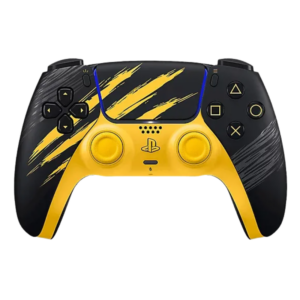 Sony Ps 5 Controller Marvel Wolverine Limited Edition
3 × 42.900 OMR
-
×
 SONY PS4 Final Fantasy XII GAME CD
1 × 8.800 OMR
-
×
 Apple Ipad Pro 12.9" 4th Gen Smart Keyboard Folio
1 × 94.900 OMR
-
×
 WAHL HOME PRO 300 SERIES HAIRCUT KIT
1 × 15.800 OMR
-
×
 Cle Usb Fridge
1 × 5.900 OMR
-
×
 Candc DC C9 Cardioid Microphone
1 × 3.500 OMR
-
×
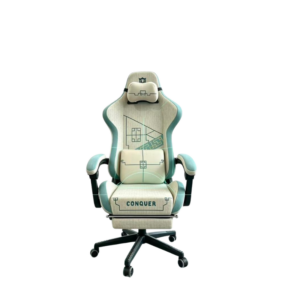 Cleo-GA Lxradeo Ergonomic Gaming Chair
1 × 49.900 OMR
-
×
 Sony PS4 Rust Console Edition Game CD
1 × 18.800 OMR
-
×
 Used NOKIA E90
1 × 120.000 OMR
-
×
 4 In 1 Mobile Game Combo Pack
1 × 8.900 OMR
-
×
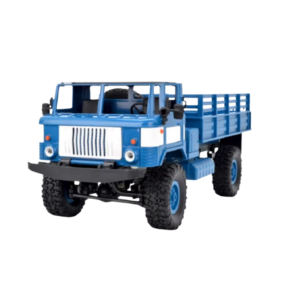 Cleo-TY Remote Control RC Military Truck B-24
1 × 14.900 OMR
-
×
 BK-20 OUD OIL BUKHOOR BURNER
1 × 6.400 OMR
-
×
 DMK power GoPro 5.6.7.8 BATTERY
1 × 10.900 OMR
-
×
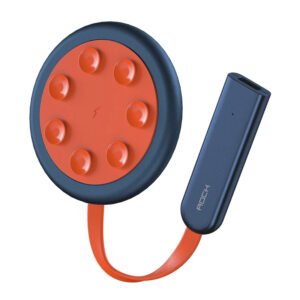 ROCK W24 Double side Quick CHARGER
1 × 5.200 OMR
-
×
 Used Nokia X3 02 Touch
1 × 20.500 OMR
-
×
 OTVO P4 USB DATA CABLE (For P4 Host & Handle)
1 × 1.900 OMR
-
×
 Ahuja Au 40xt 40w White Driver Unit
1 × 20.000 OMR
-
×
 OMNIKEY 3121 CARD READER
1 × 7.900 OMR
-
×
 Cpt Guitar 3713c
1 × 3.800 OMR
Subtotal: 683.500 OMR
 New Arrivals
 Offers
 Service & Repair




There are no reviews yet.