
-
×
 Cleo-TY Kitchen Set HT 922-123
1 × 8.800 OMR
-
×
 SONY PS4 MX VS ATV ALL OUT GAME CD
1 × 18.800 OMR
-
×
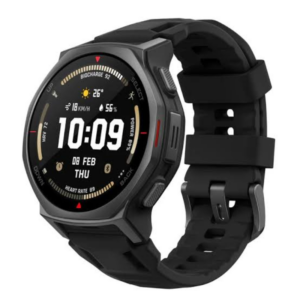 Amazfit T-Rex 3 Pro 44mm Smart Watch Tactical Black
1 × 142.900 OMR
-
×
 Ahuja Utp30 Wired Tie Clip Mic
1 × 10.000 OMR
-
×
 Cleo-TY Plastic Stadium Horn HT 348 48CM
1 × 0.400 OMR
-
×
 ANKER NEBULA MARS 2PRO D2323211 PORTABLE PROJECTOR
1 × 199.800 OMR
-
×
 Sony PS 4 FC 27 Gaming CD
1 × 19.900 OMR
-
×
 Cleo-TY Kids Drawing Painting Table HT6886
1 × 2.900 OMR
-
×
 Apple Ipad Pro 12.9" 4th Gen Smart Keyboard Folio
1 × 94.900 OMR
-
×
 Bbt Hair Clipper Rfcd 9008
1 × 5.900 OMR
-
×
 Hyundai Mini Electric Shaver PHT051
1 × 3.900 OMR
-
×
 TIAN DU TRANSVERSE STUNT CAR TOYS
1 × 11.450 OMR
-
×
 TIAN DU FAST CAR REMOTE CONTROL TOYS
1 × 4.000 OMR
-
×
 Cleo-TY Mobile Hospital Set HT8123AP
1 × 8.900 OMR
-
×
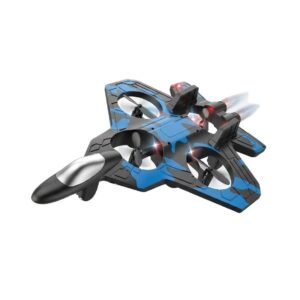 Cleo-TY Aircraft Fighter Jet
1 × 3.900 OMR
-
×
 Fujifilm Camera Instax Wide 400
1 × 59.900 OMR
-
×
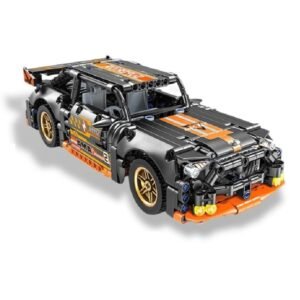 Cleo-TY Building Block Car MB017
1 × 7.900 OMR
-
×
 Canon Ink Gi 46 Pgbk
1 × 14.800 OMR
Subtotal: 619.050 OMR
 New Arrivals
 Offers
 Service & Repair


There are no reviews yet.