
-
×
 SONY PS4 TONY HAWKS PRO SKATER 1+2 GAME CD
1 × 13.900 OMR
-
×
 Cleo-TY Metal Car Tesla Roadster HT-C2488 Size 1.24
1 × 5.900 OMR
-
×
 Yamaha Psr E283 Keyboard
1 × 59.000 OMR
-
×
 Cleo-EL Portable Clothes Dryer NGB147B
1 × 7.900 OMR
-
×
 Cleo Plastic Recorder
2 × 0.700 OMR
-
×
 Bm 13k Bee Melodica
2 × 5.900 OMR
-
×
 Cleo-TY Plastic Stadium Horn HT 348 48CM
1 × 0.400 OMR
-
×
 Candc DC C9 Cardioid Microphone
1 × 3.500 OMR
-
×
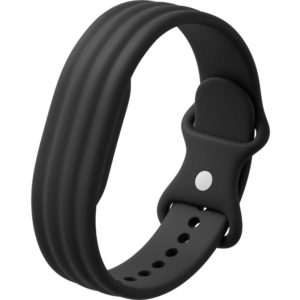 Google Fitbit Air Active Band Obsidian Silicon Strap
1 × 20.900 OMR
-
×
 Cpt 0783-347 Metal 1.22 Dfeneder
1 × 4.800 OMR
-
×
 Biba Flute Deluxe
2 × 6.500 OMR
-
×
 SONY PS4 CD DOOM
2 × 10.800 OMR
-
×
 Nintendo Switch Oled 64GB Console White
1 × 120.900 OMR
-
×
 ENGENIUS EDS 1130 Smart Camera
1 × 22.400 OMR
-
×
 L-1 Professional Streaming Player Stand
1 × 13.900 OMR
-
×
 YH 31 PS4 2 in 1 Charging Heat Sink
1 × 11.900 OMR
-
×
 SONY PS4 Rocket Arena Game CD
1 × 16.800 OMR
-
×
 Apple Ipad Pro 12.9" 4th Gen Smart Keyboard Folio
1 × 94.900 OMR
-
×
 HANDS FREE KEY CHAIN
1 × 0.700 OMR
-
×
 CANON PIXMA 510 BLACK CARTRIDGE
1 × 8.000 OMR
-
×
 OTVO P4 USB DATA CABLE (For P4 Host & Handle)
1 × 1.900 OMR
-
×
 Cleo-TY Metal Car Mercedes Benz Nomadism RV Motorhome Size 1.24
1 × 5.900 OMR
-
×
 Sony Ps 4 Mdievil CD
1 × 11.000 OMR
-
×
 Kalimba 17 Keys Finger Piano
2 × 13.800 OMR
-
×
 Canon Ink Gi 46 Pgbk
1 × 14.800 OMR
-
×
 CPT 79321 1-24 Ranchero Green Metal Car
1 × 7.800 OMR
-
×
 Cpt Guitar 3713c
1 × 3.800 OMR
-
×
 Sony PS5 Village Resident Evil Game CD
1 × 12.900 OMR
-
×
 Used Nokia 6610 i
1 × 15.000 OMR
-
×
 TIAN DU TRANSVERSE STUNT CAR TOYS
1 × 11.450 OMR
-
×
 DigitPlus OT-DP-FR19 Mini Refrigerator
1 × 37.900 OMR
-
×
 The Black Series Multifunction Wet & Dry Auto Vacumm Cleaner
1 × 2.900 OMR
-
×
 Boya Wireless Microphone By Wm4 Pro
1 × 47.900 OMR
-
×
 SONY PS4 Toukiden2 GAME CD
1 × 7.700 OMR
-
×
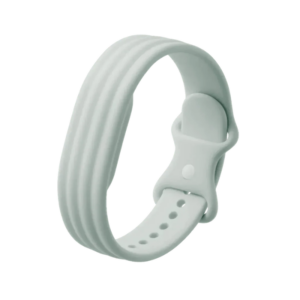 Google Fitbit Air Active Band Fog Silicon Strap
1 × 20.900 OMR
-
×
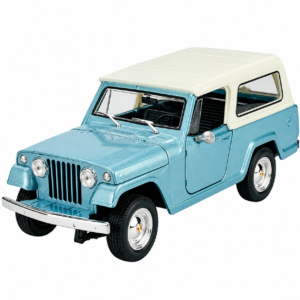 Welly Metal Car Jeep Jeepster Commando Station Wagon Size 1.24 WL-24117H-W
1 × 12.900 OMR
-
×
 Cpt Usb Extender 120M With 4 Hub
1 × 5.900 OMR
-
×
 Hot Wheels Deutschland Design
1 × 4.900 OMR
-
×
 Anker Powerbank A1229H Power Core Slim 10000 mah
1 × 6.900 OMR
-
×
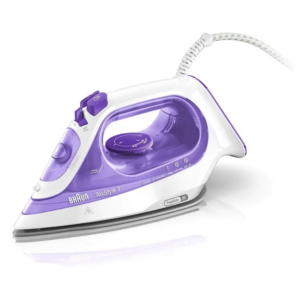 Braun TexStyle 3 Steam Iron SI3042VI 2350W
1 × 18.900 OMR
-
×
 Toshiba Battery Aaa 1.5V 24 Pack
1 × 1.300 OMR
-
×
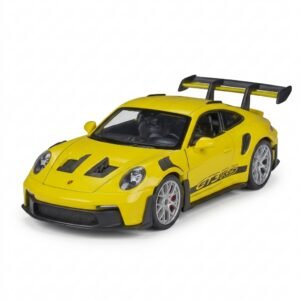 Welly Metal Car Porsche 911 GT3 RS Size 1.24 WL-24122W
1 × 14.900 OMR
-
×
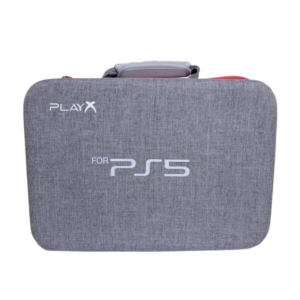 PlayX PS 5 Fat Travel Bag
1 × 10.900 OMR
-
×
 Google Fitbit Edge Fitness & Health Tracking Smart Band Green
1 × 86.900 OMR
-
×
 Cleo-TY Metal Car Pagani Huayra CZ145
1 × 4.800 OMR
-
×
 Telionix Electric Air Fryer 9L TAF4424
1 × 34.900 OMR
-
×
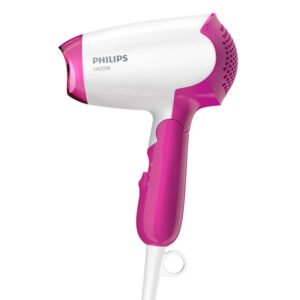 Philips Hair Dryer BHD003/03
1 × 7.900 OMR
-
×
 Belkin F2CU012bt Mixit Cable Usb A to Micro 3mtr
1 × 1.900 OMR
-
×
 Vivo Y05 4gb 128gb 4g Gsm
1 × 56.700 OMR
-
×
 DOBE PS4 TP4 023B Charging STAND
1 × 6.900 OMR
Subtotal: 959.650 OMR
 New Arrivals
 Offers
 Service & Repair



There are no reviews yet.