
-
×
 OTVO P4 USB DATA CABLE (For P4 Host & Handle)
1 × 1.900 OMR
-
×
 SONY PS4 STAR WARS SQUADRONS GAME CD
2 × 15.800 OMR
-
×
 Samsung Charger Galaxy Ep-T2510 Type C 25w With Cable 1mtr
1 × 6.900 OMR
-
×
 Logitech Stereo Headset H390 Usb Connector
1 × 10.200 OMR
-
×
 Cle Usb Fridge
1 × 5.900 OMR
-
×
 SONY PS4 CD DOOM
1 × 10.800 OMR
-
×
 Bee T016347t Harmonica 16 Hole
1 × 3.900 OMR
-
×
 Max Bms 135 Boom Mic Stand
1 × 9.500 OMR
-
×
 SONY PS4 TOM CLANCY'S RAINBOW SIX SIEGE GAME CD
2 × 17.700 OMR
-
×
 SONY PS4 MX VS ATV ALL OUT GAME CD
1 × 18.800 OMR
-
×
 Apple Ipad Pro 12.9" 4th Gen Smart Keyboard Folio
2 × 94.900 OMR
-
×
 Boya By Wm4 Pro K3 2.4ghz Wireless Microphone System
1 × 49.900 OMR
-
×
 Used NOKIA E90
1 × 120.000 OMR
-
×
 DELONGHI COFFEE MACHINE ESAM3000
1 × 179.400 OMR
-
×
 DOBE PS4 TP4 016 Mobile Phone CLAMP
1 × 1.900 OMR
-
×
 WAHL HOME PRO 300 SERIES HAIRCUT KIT
1 × 15.800 OMR
-
×
 Bm 13k Bee Melodica
1 × 5.900 OMR
-
×
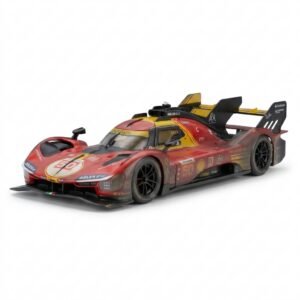 BBurago Metal Car Ferrari 499P Size 1.18
1 × 42.900 OMR
-
×
 Acer Dual Cam 360 Used Chromebook 300E
1 × 18.000 OMR
-
×
 BBurago Metal Car Ferrari 296 GTB Size 1.18 18-16018
1 × 42.900 OMR
-
×
 Hot Wheels Deutschland Design
4 × 4.900 OMR
-
×
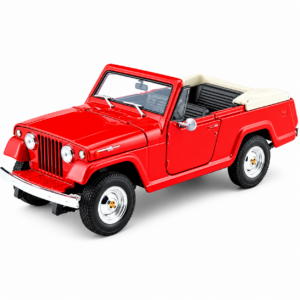 Welly Metal Car Jeep Jeepster Commando Roadster Size 1.24 WL-24117C-W
3 × 12.900 OMR
-
×
 TIAN DU TRANSVERSE STUNT CAR TOYS
1 × 11.450 OMR
-
×
 Cleo-HA Rl Photo Doorbell Ip10A
1 × 8.400 OMR
-
×
 MR. LIGHT TORCH SPYDER MR 3333
1 × 9.900 OMR
-
×
 Lavalier Microphone Lj02
2 × 1.800 OMR
-
×
 INSTA 360 ONE R TWIN EDITION LENS ACTION CAMERA
1 × 178.800 OMR
-
×
 Sunglass Police ORIGINS 13 SPL 967 0722 145
1 × 65.000 OMR
-
×
 Earldom Hdmi to Usb C adapter ET W39
1 × 2.400 OMR
-
×
 Belkin F2CU012bt Mixit Cable Usb A to Micro 3mtr
1 × 1.900 OMR
-
×
 OCULUS QUEST2 ELITE STRAP with BATTERY and CARRYING CASE
1 × 36.400 OMR
-
×
 Cleo-TY 3 IN 1 Doctor Set HT 008-292
1 × 10.900 OMR
-
×
 Candc DC C9 Cardioid Microphone
1 × 3.500 OMR
Subtotal: 1,191.950 OMR
 New Arrivals
 Offers
 Service & Repair



There are no reviews yet.