
-
×
 Boya Lavalier Microphone By M40d
1 × 20.000 OMR
Boya Lavalier Microphone By M40d
1 × 20.000 OMR
Subtotal: 20.000 OMR
SKU: 1413000059
In stock
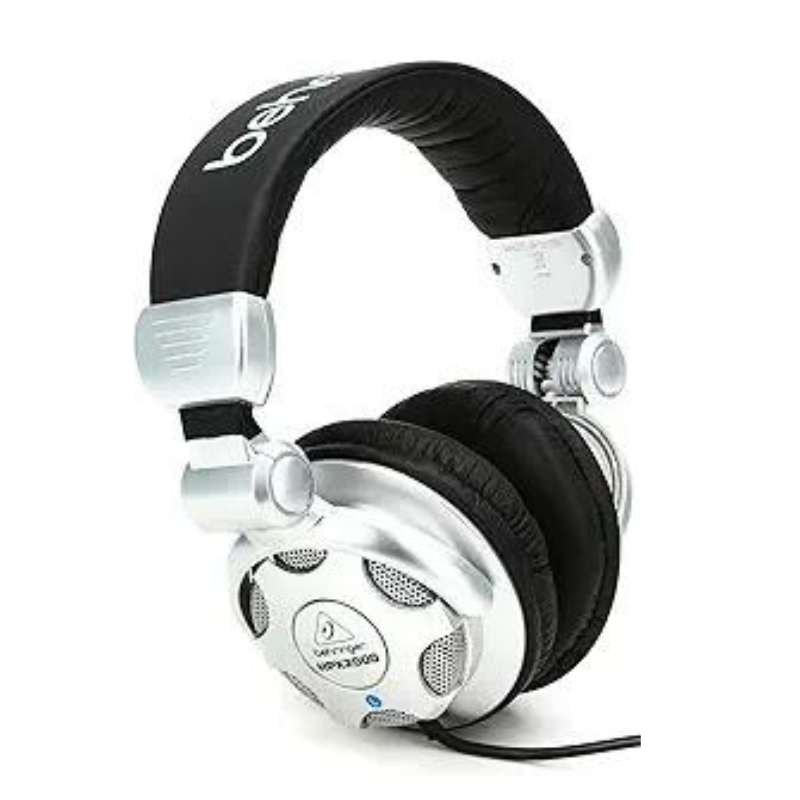
The Behringer HPX2000 is a dynamic stereo headphone designed for professional audio monitoring and personal listening. It features high-definition bass and super-transparent highs, making it suitable for accurate sound reproduction across various music genres and applications. With a comfortable and durable design, including rotating ear cups and a single-sided coiled cable, the HPX2000 offers convenience and flexibility for DJs, musicians, and audio enthusiasts alike, ensuring reliable performance and comfort during extended use.
14.000 OMR
In stock
1. **Connect to Audio Source**: Plug the headphone cable into the audio output jack of your device, such as a mixer, audio interface, or personal music player.
2. **Adjust Headband**: Adjust the headband size to fit comfortably over your head. The HPX2000 headphones are adjustable to accommodate different head sizes.
3. **Position Ear Cups**: Position the ear cups over your ears for optimal sound isolation and comfort. The ear cups are designed to rotate, allowing for flexible positioning.
4. **Listen and Monitor**: Use the HPX2000 headphones for monitoring audio during recording, mixing, or personal listening sessions. The headphones provide clear sound reproduction with high-definition bass and transparent highs.
5. **Store and Maintain**: After use, store the headphones in a safe place to prevent damage. Keep them clean and avoid pulling or twisting the cable excessively to maintain their durability and longevity.
 New Arrivals
 Offers
 Service & Repair


There are no reviews yet.