
-
×
 Sandisk Flash Drive i-xpand Dual Luxe 64GB Type-C to Lightning
3 × 11.500 OMR
-
×
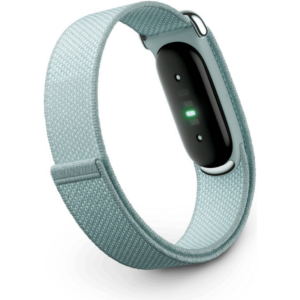 Google Fitbit Air Screen less Fitness & Health Tracking Band Fog
1 × 51.900 OMR
-
×
 Cleo-GA Black Hawk Handheld Game Console X9
1 × 14.800 OMR
-
×
 Belkin F2CU012bt Mixit Cable Usb A to Micro 3mtr
3 × 1.900 OMR
-
×
 Google Fitbit Edge Fitness & Health Tracking Smart Band Green
3 × 86.900 OMR
-
×
 Google Fitbit Edge Fitness & Health Tracking Smart Band Black
3 × 86.900 OMR
-
×
 Boya By Wm4 Pro K3 2.4ghz Wireless Microphone System
1 × 49.900 OMR
-
×
 Apple Ipad Pro 12.9" 4th Gen Smart Keyboard Folio
1 × 94.900 OMR
-
×
 BOYA BY MM1 MICROPHONE
1 × 3.500 OMR
-
×
 Dlc 12L Electric Pressure Cooker 25612
1 × 34.900 OMR
-
×
 Hp Multimedia Speaker Dhs 2111
1 × 4.000 OMR
-
×
 Sony PS4 Village Resident Evil Game CD
1 × 18.700 OMR
-
×
 Cleo-EL Portable Power Station 300W ZHY-CN01
3 × 44.900 OMR
-
×
 ROCK W24 Double side Quick CHARGER
1 × 5.200 OMR
-
×
 Philips Dry Iron HD1172/27
1 × 5.800 OMR
-
×
 Cle Usb Fridge
1 × 5.900 OMR
-
×
 OTVO P4 USB DATA CABLE (For P4 Host & Handle)
2 × 1.900 OMR
-
×
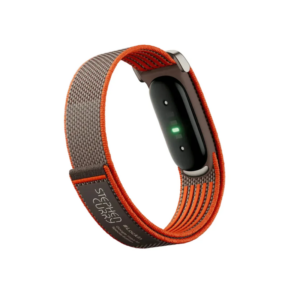 Google Fitbit Air Screen less Fitness & Health Tracking Stephen Curry Edition
1 × 61.900 OMR
-
×
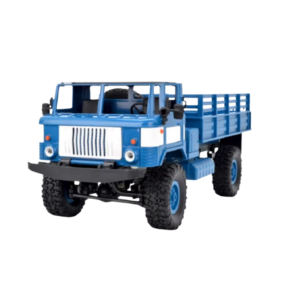 Cleo-TY Remote Control RC Military Truck B-24
1 × 14.900 OMR
Subtotal: 1,066.400 OMR
 New Arrivals
 Offers
 Service & Repair


There are no reviews yet.