
-
×
 DLC 37562 Ice Maker
1 × 44.800 OMR
-
×
 Boya Lavalier Microphone By M40d
1 × 20.000 OMR
-
×
 Boya Wireless Microphone By Wm4 Pro
1 × 47.900 OMR
-
×
 Boya By Wm8 Pro K2 Uhf Dual Channel Wireless Microphone
1 × 76.800 OMR
-
×
 Bm 13k Bee Melodica
1 × 5.900 OMR
-
×
 YH 25 PS4 Multifunctional Heat Dissipation Charging Bracket
1 × 12.900 OMR
-
×
 Aiweidy A836 Spot Light
1 × 50.000 OMR
-
×
 Cleo Plastic Recorder
1 × 0.700 OMR
-
×
 Boya Larger Diaphragm Condenser Microphone By M1000
1 × 38.800 OMR
-
×
 Used Nokia N85
1 × 40.000 OMR
-
×
 Biba Flute Deluxe
1 × 6.500 OMR
-
×
 Begringer Powerplay P2 Ear Monitor
1 × 30.000 OMR
-
×
 Yesido Car Jump Starter VC11
1 × 12.600 OMR
-
×
 Panasonic NI-22AWT Iron Box 1000W
1 × 8.900 OMR
-
×
 SONY PS4 NIOH 2 GAME CD
1 × 9.900 OMR
-
×
 4 In 1 Mobile Game Combo Pack
1 × 8.900 OMR
-
×
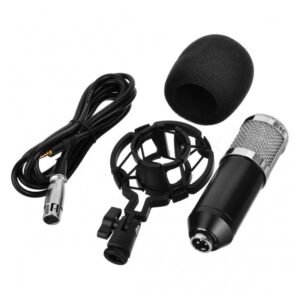 Bm 800 Mic Kit Condenser Microphone
1 × 9.900 OMR
-
×
 OTVO P4 USB DATA CABLE (For P4 Host & Handle)
1 × 1.900 OMR
Subtotal: 426.400 OMR
 New Arrivals
 Offers
 Service & Repair



There are no reviews yet.