
 New Arrivals
 Offers
 Service & Repair


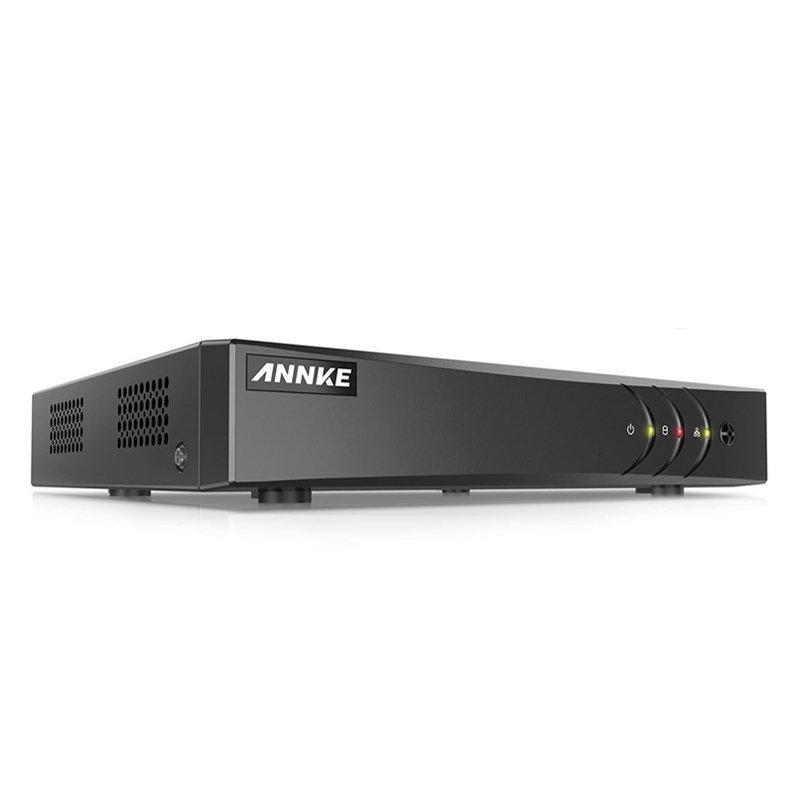
ANNKE DVR DN41R
SKU: DN41R
In stock
The ANNKE DVR DN41R is a reliable digital video recorder designed to enhance home and business security systems. With support for multiple camera channels, it enables seamless monitoring and recording of high-definition video footage. Equipped with advanced features such as motion detection, remote access, and H.265+ video compression, it optimizes storage space while ensuring efficient and reliable performance. Easy to set up and operate, the ANNKE DVR DN41R provides peace of mind by safeguarding your property with its robust surveillance capabilities.
10.300 OMR
In stock
1. **Installation**: Begin by unboxing your ANNKE DVR DN41R and its accompanying accessories. Place the DVR in a secure location near your surveillance cameras, ensuring it’s within reach of power outlets and adequately ventilated.
2. **Camera Connection**: Connect your surveillance cameras to the DVR using the provided coaxial cables. Ensure each camera is securely connected to its corresponding channel on the DVR to enable video recording and monitoring.
3. **Power On**: Plug the DVR into a power source using the included power adapter. Power on the DVR and wait for it to boot up. Once powered on, the DVR will initialize and be ready for setup.
4. **Initial Setup**: Connect the DVR to a display monitor or TV using an HDMI or VGA cable. Follow the on-screen prompts to complete the initial setup, including language selection, date and time configuration, and network settings if applicable.
5. **Configuration and Monitoring**: Access the DVR’s menu interface using the included remote control or front panel buttons. Configure settings such as motion detection, recording schedules, and remote access options according to your preferences. You can then monitor live video feeds, playback recorded footage, and manage your surveillance system remotely using the ANNKE app or software.
Brand
Annke
Based on 0 reviews
Be the first to review “ANNKE DVR DN41R”
Related products
-
Electronics
DOBE PS4 TP4 016 Mobile Phone CLAMP
– GAMERS’ GOOD NEWS: Say goodbye to the painful control on your smart phone.
– LARGE CAPACITY:Maximum support of 6-inch mobile phone.
– 2 in 1 holder: With an OTG cable you can enjoy your game with PS4 controller and it can be a smart mount itself.
– RSKU: 06010501000028

There are no reviews yet.