Here’s a step-by-step guide for setting up the ANNKE I41EJ camera:
1. **Unboxing and Preparation**: Start by unboxing the ANNKE I41EJ camera and its accessories. Ensure you have all the components, including the camera, power adapter, mounting bracket, and screws.
2. **Placement**: Select an optimal location for mounting the camera indoors, ensuring it has a clear view of the area you want to monitor. Use the mounting bracket and screws to securely install the camera on a wall or ceiling.
3. **Power Connection**: Connect the camera to a power source using the provided power adapter. Ensure the power source is stable and reliable to avoid interruptions in surveillance.
4. **Network Connection**: Use the ANNKE Vision app to connect the camera to your Wi-Fi network. Follow the app’s instructions to add the camera to your account and complete the setup process. Make sure to input your Wi-Fi credentials correctly.
5. **Configuration and Monitoring**: Once the camera is connected, customize its settings according to your preferences using the ANNKE Vision app. Adjust features such as motion detection sensitivity, video quality, and recording schedules. You can then monitor live video feeds, receive motion detection alerts, and playback recorded footage remotely via the app, providing you with peace of mind and enhanced security for your indoor space.
Nintendo Switch Oled 64GB Console White
OTVO P4 USB DATA CABLE (For P4 Host & Handle)
YH 25 PS4 Multifunctional Heat Dissipation Charging Bracket
Cleo-GA Wireless Controller Game GS5 Pro
USAMS Iphone 11 Pro Metal Camera Lens Glass Film
Cle Usb Fridge
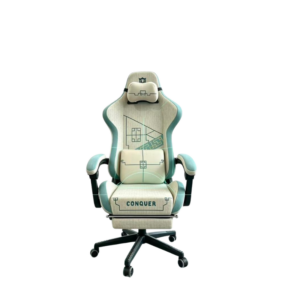
Cleo-GA Lxradeo Ergonomic Gaming Chair
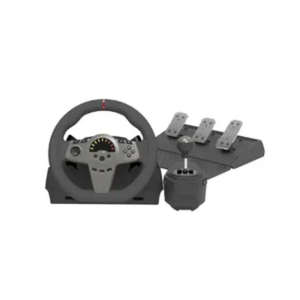
Cleo-GA 270° Racing Steering Wheel
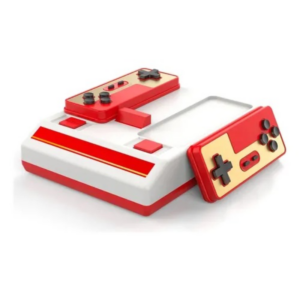
Cleo-GA Retro Video Game Console D-101
Bm 13k Bee Melodica
New Arrivals
Offers
Service & Repair


There are no reviews yet.