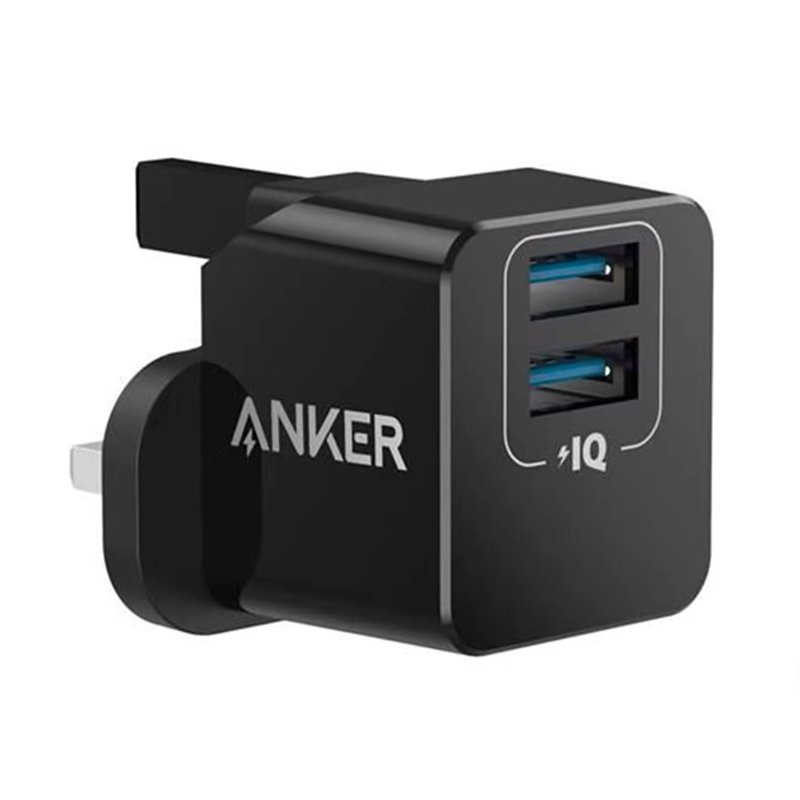
1. **Plug-In**: Start by plugging the Anker PowerPort Mini into a standard wall outlet in your home, office, or any other location where you need to charge your devices.
2. **Connect Devices**: Use the USB ports on the adapter to connect your electronic devices that require charging. You can charge up to two devices simultaneously, thanks to its dual-port design.
3. **Power On**: Once your devices are connected, ensure they are powered on and ready to charge. The PowerPort Mini will automatically detect the connected devices and provide the appropriate charging current.
4. **Monitor Charging**: Keep an eye on your devices while they’re charging to ensure they’re receiving power properly. Most devices will display a charging indicator when they’re connected to a power source.
5. **Unplug and Store**: Once your devices are fully charged, or you no longer need to charge them, unplug them from the PowerPort Mini. Store the adapter in a safe and convenient location for future use, or take it with you when you’re on the go.

 Cpt Guitar 3713c
1 × 3.800 OMR
 Boya By Wm4 Pro K3 2.4ghz Wireless Microphone System
1 × 49.900 OMR
 DOBE PS4 TP4 023B Charging STAND
1 × 6.900 OMR
 Bm 13k Bee Melodica
1 × 5.900 OMR
 SONY PS4 Rock of Ages 3 Game CD
1 × 13.800 OMR
 New Arrivals
 Offers
 Service & Repair


There are no reviews yet.