
-
×
 Apple Magsafe Charger 3 140W Original
1 × 22.000 OMR
-
×
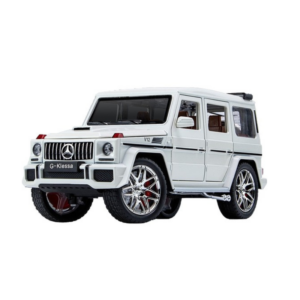 Cleo-TY Metal Car Mercedes-Benz G-Class SUV CZ118
1 × 6.800 OMR
-
×
 Cleo-TY Metal Car Pagani Huayra CZ145
1 × 4.800 OMR
-
×
 MEIER M-113BT FM/AM/SW WITH USB/TF RADIO
1 × 8.800 OMR
-
×
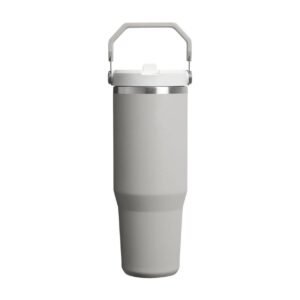 Stanley Handled Lyxun Cup NGB431
1 × 4.800 OMR
-
×
 Keyboard Protector 14 & 15 inch Silicon
1 × 0.900 OMR
-
×
 L-1 Professional Streaming Player Stand
1 × 13.900 OMR
-
×
 TP Link HD 720P CLOUD CAMERA 300 Mbps WiFi NC 250
1 × 11.900 OMR
-
×
 RALPH LAUREN POLO BLUE EDP 125 ML
1 × 32.900 OMR
-
×
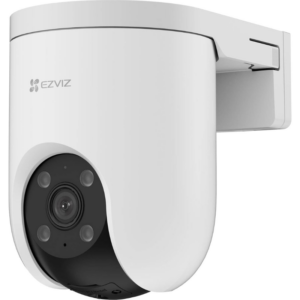 Ezviz Pan Tilt Outdoor Sim Card Camera H8c 4G
1 × 18.900 OMR
-
×
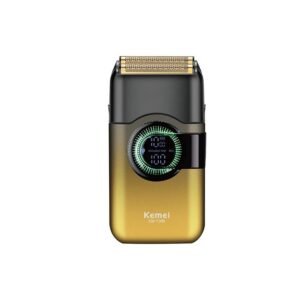 Kemei Shaver KM T389
1 × 5.900 OMR
-
×
 SONY PS4 STAR WARS SQUADRONS GAME CD
1 × 15.800 OMR
-
×
 SONY PS4 MX VS ATV ALL OUT GAME CD
1 × 18.800 OMR
-
×
 Cle Usb Fridge
1 × 5.900 OMR
-
×
 WAHL HOME PRO 300 SERIES HAIRCUT KIT
1 × 15.800 OMR
-
×
 USAMS Iphone 11 Pro Metal Camera Lens Glass Film
1 × 1.900 OMR
Subtotal: 189.800 OMR
 New Arrivals
 Offers
 Service & Repair


There are no reviews yet.