1. **Plug in the Charger**:
– Locate a power outlet or socket near your charging area.
– Insert the charger’s prongs firmly into the outlet until it’s securely in place.
2. **Connect the Cable**:
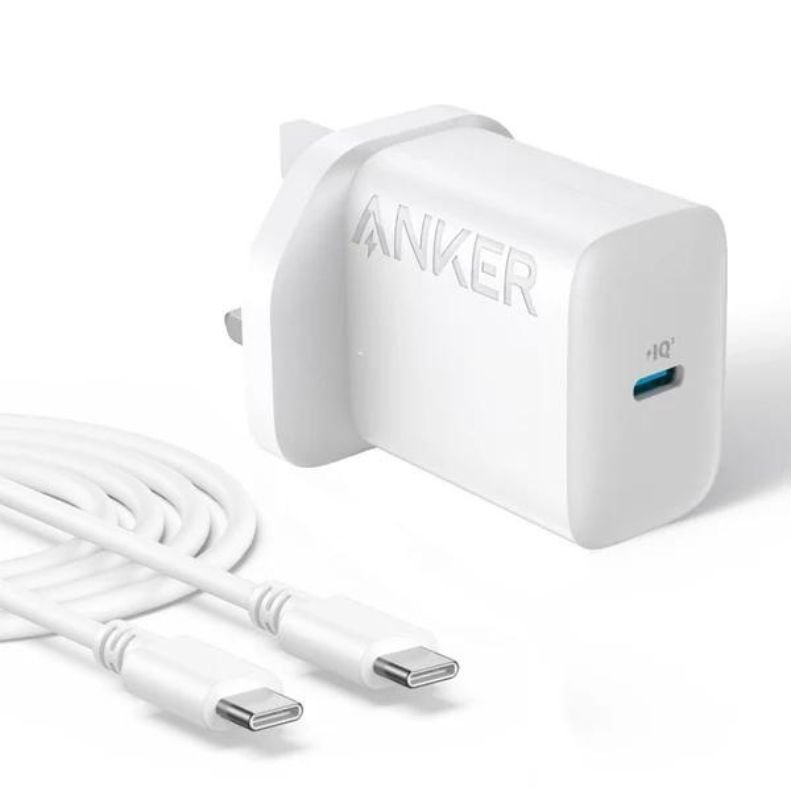
– Identify the USB-C port on the charger.
– Plug one end of the provided 1.5-meter cable into this port.
3. **Connect to Your Device**:
– Plug the other end of the cable into your device’s USB-C port. Ensure a secure connection.
4. **Power On**:
– Once connected, the charger will automatically start supplying power.
– Your device should indicate that it’s charging. If your device supports fast charging, it will charge at the maximum supported rate provided by the charger.
5. **Charging Complete and Disconnect**:
– When your device is fully charged or you no longer need to charge, unplug the charging cable from your device first.
– Then, unplug the adapter from the power outlet or socket and store it safely for future use.

 Ariete MOD 186 HOT DOG MAKER
1 × 3.800 OMR
Ariete MOD 186 HOT DOG MAKER
1 × 3.800 OMR  USAMS Iphone 11 Pro Metal Camera Lens Glass Film
1 × 1.900 OMR
USAMS Iphone 11 Pro Metal Camera Lens Glass Film
1 × 1.900 OMR  PROFESSIONAL STREAMING PLAYER STAND L1
1 × 13.900 OMR
PROFESSIONAL STREAMING PLAYER STAND L1
1 × 13.900 OMR  New Arrivals
 Offers
 Service & Repair

There are no reviews yet.