1. **Unboxing and Charging**: Start by unboxing the earbuds and their charging case. Ensure that both the earbuds and the case have sufficient charge by placing them on the charging pad or using the included charging cable.
2. **Pairing with a Device**: Turn on the Bluetooth feature on your smartphone or any other compatible device. Open the charging case to power on the earbuds. They should enter pairing mode automatically. Look for “Soundcore AeroFit Pro” in your device’s Bluetooth menu and select it to establish a connection.
3. **Customizing Settings**: Download and install the Soundcore app on your smartphone. Open the app and follow the on-screen instructions to pair it with your earbuds. Once connected, you can customize settings such as EQ preferences, touch controls, and firmware updates to enhance your listening experience.
4. **Wearing the Earbuds**: Place the earbuds gently in your ears, ensuring that they fit securely and comfortably. The open-ear design allows you to hear your surroundings while still enjoying your music or taking calls. Adjust the ear loops if necessary to achieve the perfect fit for your ears.
5. **Enjoying Your Audio**: Once the earbuds are properly fitted and connected to your device, you can start enjoying your favorite music, podcasts, or other audio content. Use the touch controls on the earbuds to play/pause music, skip tracks, answer calls, and activate voice assistants without needing to reach for your device.
YH 25 PS4 Multifunctional Heat Dissipation Charging Bracket
BBurago Metal Car Ferrari 296 GTB Size 1.18 18-16018
M15 2.4G Wireless Controller Game
Tolaye Ks06 Keyboard Stand
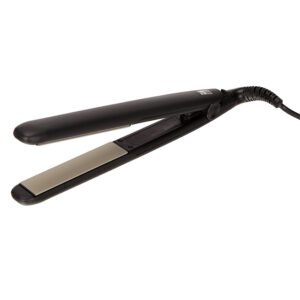
(Remington Ceramic Slim Hiar Straightener S3500
SONY PS4 Final Fantasy XII GAME CD
Cleo-EL Portable Power Station 300W ZHY-CN01
Philips OneBlade 360 Shaver QP2734/23
Telionix Electric Air Fryer 9L TAF4424
WAHL 3615 Cordless Mobile shaver
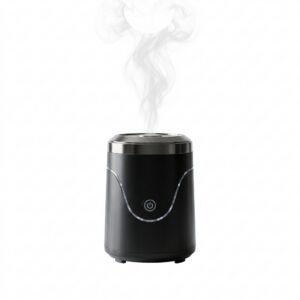
Cleo-EL Portable Electronic Bakhoor BQ-19
Sandisk Flash Drive i-xpand Dual Luxe 64GB Type-C to Lightning
Hot Wheels Deutschland Design
Apple Ipad Pro 12.9" 4th Gen Smart Keyboard Folio
New Arrivals
Offers
Service & Repair


There are no reviews yet.