
-
×
 Sony PS4 Village Resident Evil Game CD
1 × 18.700 OMR
-
×
 Bm 13k Bee Melodica
2 × 5.900 OMR
-
×
 Denx Travel Steam Iron DX3009
1 × 8.900 OMR
-
×
 DOBE PS4 TP4 016 Mobile Phone CLAMP
1 × 1.900 OMR
-
×
 Belkin Car Adaptor CCA003bt Usb-C Pd BoostCharge 20W
1 × 4.900 OMR
-
×
 Maisto Metal Car Porsche 911 GT3 Size 1.18 36458
4 × 42.885 OMR
-
×
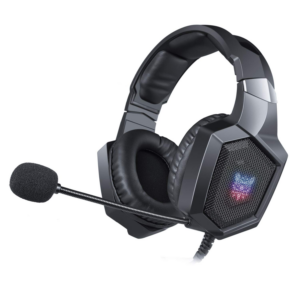 Onikuma Professional Gaming Headset K8
1 × 6.900 OMR
-
×
 Anker Data Cable A80B2H11 Usb C to Lightning 542 Bio-Based 6ft
1 × 6.500 OMR
-
×
 Philips OneBlade 360 Shaver QP2734/23
2 × 22.900 OMR
-
×
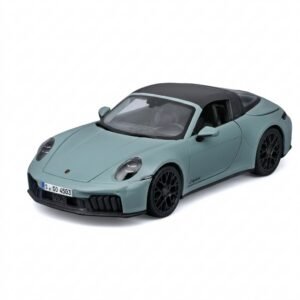 Maisto Metal Car Porsche 911 Targa 4 GTS Size 1.18 31470
1 × 42.885 OMR
-
×
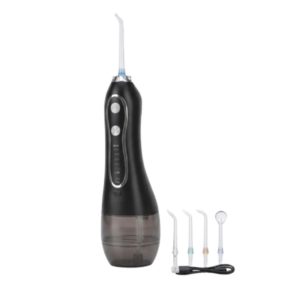 Blue Fire Hydrojet Portable Oral Irrigator BF-6
1 × 8.900 OMR
-
×
 Used Nokia E61
1 × 27.000 OMR
-
×
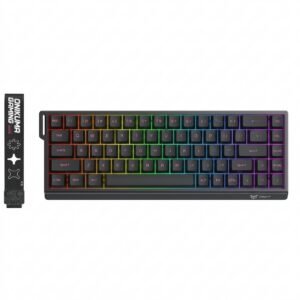 Onikuma Gaming Keyboard MT603
1 × 12.900 OMR
-
×
 Google Fitbit Edge Fitness & Health Tracking Smart Band Black
1 × 86.900 OMR
-
×
 Apple Ipad Pro 12.9" 4th Gen Smart Keyboard Folio
1 × 94.900 OMR
Subtotal: 550.425 OMR
 New Arrivals
 Offers
 Service & Repair


There are no reviews yet.