
-
×
 Apple Ipad Pro 12.9" 4th Gen Smart Keyboard Folio
1 × 94.900 OMR
Apple Ipad Pro 12.9" 4th Gen Smart Keyboard Folio
1 × 94.900 OMR
Subtotal: 94.900 OMR
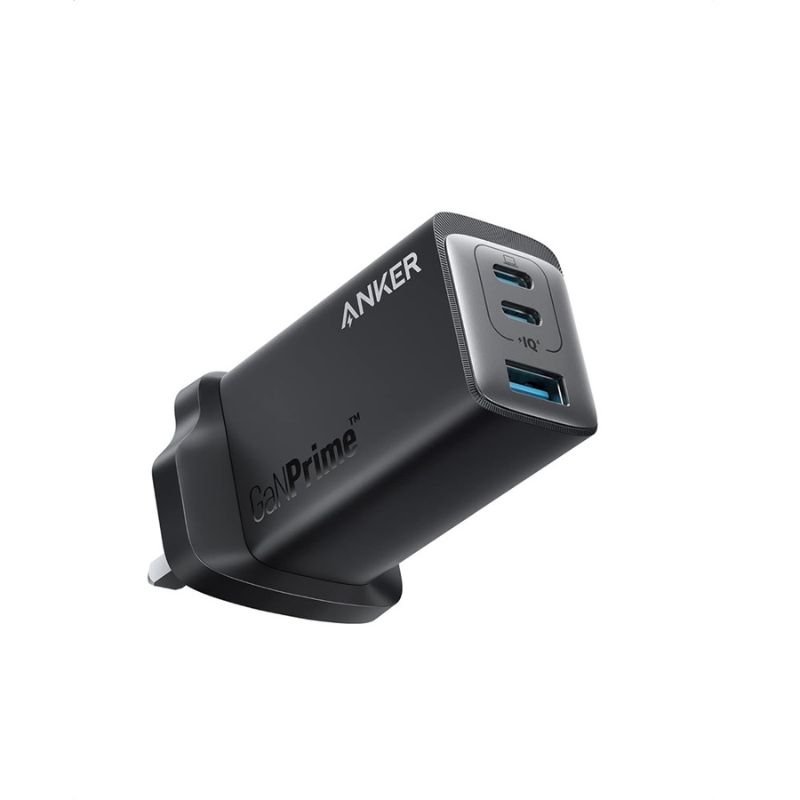
SKU: ANKER A2668211 GAN Prime 65W (Series7) 735 CHARGER
Out of stock
The ANKER A2668211 GAN Prime 65W (Series7) 735 Charger is a compact and powerful charging solution. Utilizing Gallium Nitride (GAN) technology, it delivers up to 65W of power, allowing for fast charging of smartphones, tablets, laptops, and other USB-C devices. With its slim design and foldable prongs, it’s convenient for travel or everyday use. Equipped with multiple ports, including USB-C and USB-A, it offers versatility for charging multiple devices simultaneously. The ANKER A2668211 provides efficient and reliable charging performance, making it an essential accessory for anyone on the go.
Out of stock
1. **Plug in the Charger**:
– Locate a power outlet or socket.
– Insert the charger’s prongs into the outlet securely.
2. **Connect Your Devices**:
– Identify the appropriate port for your device’s charging cable.
– Plug one end of your device’s USB-C or USB-A charging cable into the corresponding port on the charger.
3. **Connect to Your Device**:
– Connect the other end of your device’s charging cable to your smartphone, tablet, laptop, or other USB-C or USB-A compatible device.
4. **Power On**:
– Once your devices are connected, the charger will automatically begin supplying power.
– If your device supports fast charging, it will charge at the maximum supported rate provided by the charger.
5. **Charging Complete and Disconnect**:
– When your device is fully charged or you no longer need to charge, disconnect the charging cable from your device first.
– Then, unplug the charger from the power outlet or socket and store it safely for future use.
 New Arrivals
 Offers
 Service & Repair

There are no reviews yet.