
 New Arrivals
 Offers
 Service & Repair

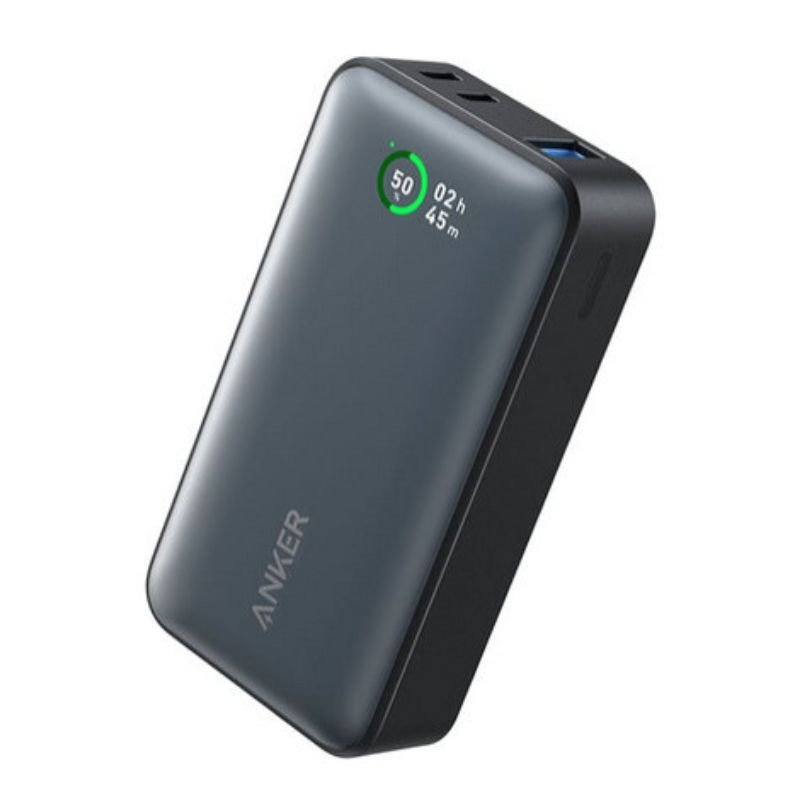
Anker A1256 Powercore 30W Pd 10K Power Bank (533)
SKU: 020301000088
In stock
The ANKER A1256 Powercore 30W PD 10K Power Bank is a portable charging solution designed to keep your devices powered up on the go. With a capacity of 10,000mAh, it provides ample power to recharge smartphones, tablets, and other USB-powered devices multiple times over. Equipped with Power Delivery (PD) technology, it can deliver fast charging speeds of up to 30W, ensuring efficient charging for compatible devices. Its compact and lightweight design makes it easy to carry in your bag or pocket, making it ideal for travel, outdoor adventures, or everyday use. With its reliable performance and high-speed charging capabilities, the ANKER A1256 Powercore 30W PD 10K Power Bank is a convenient accessory for anyone who needs to stay connected wherever they go.
15.900 OMR
In stock
1. **Charge the Power Bank**: Before using the power bank, ensure it’s fully charged. Connect the provided USB-C cable to the input port on the power bank and the other end to a wall charger or USB port on your computer. The LED indicators on the power bank will show the charging status. When all LEDs are solid, the power bank is fully charged and ready to use.
2. **Connect Your Device**: Once the power bank is charged, connect your device(s) to the power bank using a compatible charging cable. The power bank features a USB-C Power Delivery (PD) output port that can deliver fast charging speeds of up to 30W, so make sure to use a USB-C to USB-C cable if your device supports PD charging. You can also use the standard USB-A port with your device’s cable if PD charging is not needed.
3. **Turn On the Power Bank**: Some power banks require you to manually turn them on before they start charging your devices. Check if your power bank has a power button and press it to turn on the charging output.
4. **Monitor Charging**: Once your device is connected and the power bank is turned on, you can monitor the charging progress. Most devices will display a charging indicator on their screen. Additionally, you can check the LED indicators on the power bank to see the remaining battery level. The LEDs will gradually turn off as the power bank’s battery depletes.
5. **Disconnect and Power Off**: When your device is fully charged or you no longer need to charge it, disconnect it from the power bank. If your power bank has a power button, press it to turn off the charging output. This helps conserve the power bank’s battery for future use. Store the power bank in a safe place until you need to use it again.
| Weight | 1 kg |
|---|
There are no reviews yet.