
-
×
 Ahuja Utp30 Wired Tie Clip Mic
1 × 10.000 OMR
-
×
 Cleo Plastic Recorder
1 × 0.700 OMR
-
×
 Sony Ps 5 Asterix Obelix Xxl 2 CD
1 × 10.900 OMR
-
×
 Newstar 91 Kl3222F Fixed Tv Wall Mount Stand 23 To 43 Inch
1 × 1.900 OMR
-
×
 JBL Gaming Headset Quantum 250 Black
1 × 25.900 OMR
-
×
 SONY PS4 FINAL FANTASY VII GAME CD
1 × 17.700 OMR
-
×
 Cle Usb Fridge
2 × 5.900 OMR
-
×
 Fantech Pilo Ac 4101L Gaming Ergonomic Wrist Pad
1 × 0.900 OMR
-
×
 DUDAO AUX 3.5 mm Cable Connector
1 × 3.900 OMR
-
×
 Biba Flute Deluxe
1 × 6.500 OMR
-
×
 Dlc Flash Light 32876
1 × 11.800 OMR
-
×
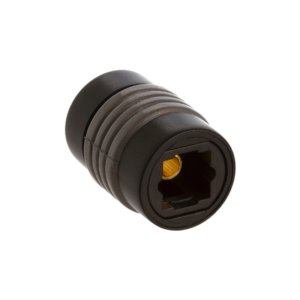 Toslink Coupler F to F Optical
1 × 2.900 OMR
-
×
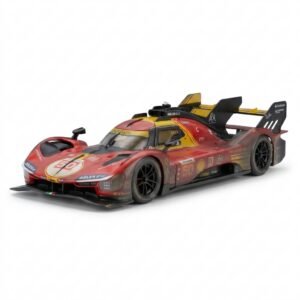 BBurago Metal Car Ferrari 499P Size 1.18
1 × 42.900 OMR
-
×
 Candc DC C9 Cardioid Microphone
1 × 3.500 OMR
-
×
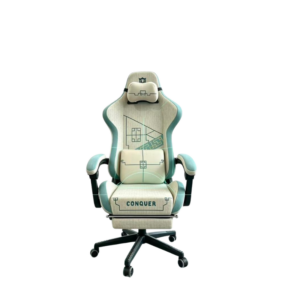 Cleo-GA Lxradeo Ergonomic Gaming Chair
1 × 49.900 OMR
-
×
 Bosch Lbc3951 6W Ceiling Speaker
1 × 9.000 OMR
-
×
 Cleo-GA Handheld Game Console R36Max
1 × 17.800 OMR
-
×
 Pu Xing Cassette Player &3 Band Radio PX 666BT
1 × 12.900 OMR
-
×
 Yesido Data Cable CA90 Usb C to Usb C + Lightning 100w 1.2mtr
1 × 2.200 OMR
-
×
 Redmi Smart Watch5 Lite M2352
1 × 17.900 OMR
Subtotal: 261.000 OMR
 New Arrivals
 Offers
 Service & Repair


There are no reviews yet.