
-
×
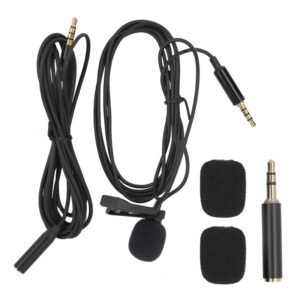 Lavalier Microphone Lj01b
1 × 1.500 OMR
Lavalier Microphone Lj01b
1 × 1.500 OMR
Subtotal: 1.500 OMR
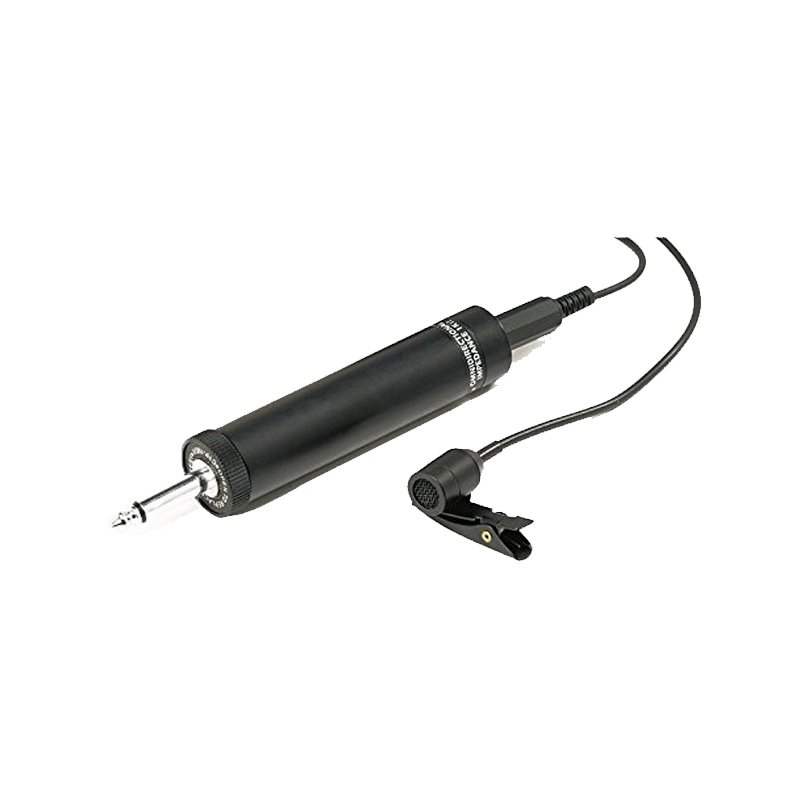
SKU: AHUJA CTP-10X TIE CLIP MIC
In stock
Brand AHUJA
Polar Pattern Omnidirectional
Number of Channels 1
Frequency Response 15000 Hz
The Ahuja CTP-10X Tie Clip Microphone is a compact and versatile audio solution designed for hands-free operation in various professional settings. With its discreet design and easy-to-use clip attachment, it securely fastens to clothing, making it ideal for presentations, interviews, lectures, and more. Delivering clear and crisp sound reproduction, this microphone ensures excellent voice pickup while minimizing background noise. Its durable build and dependable performance make it a reliable choice for professionals seeking high-quality audio capture in a convenient package.
8.500 OMR
In stock
Step 1: Clip Attachment – Securely attach the clip of the Ahuja CTP-10X microphone to your clothing, preferably near the neckline or collar for optimal sound pickup.
Step 2: Cable Management – Carefully route the microphone cable along the inside of your clothing to conceal it and prevent any tangling or interference during use.
Step 3: Microphone Positioning – Adjust the microphone’s position on the clip to ensure it is positioned correctly for capturing your voice. Aim for the microphone to be positioned a few inches below your mouth for optimal sound quality.
Step 4: Connector Connection – Plug the connector end of the microphone cable into the appropriate input jack on your recording device or sound system. Ensure a secure connection to prevent any audio interruptions.
Step 5: Testing and Adjustments – Test the microphone by speaking into it and monitoring the audio output on your recording device or sound system. Adjust the microphone’s position and volume levels as needed to achieve the desired sound quality and volume.
Following these steps will ensure that your Ahuja CTP-10X Tie Clip Microphone is correctly set up and ready to deliver clear and crisp audio for your presentations, interviews, lectures, or any other application where hands-free audio capture is required.
– About item:
* Easy to learn modern wind instrument for young and old to make their own music.
* It is also exceedingly useful in musical education as an introduction to all keyboard instruments.
* Ideal for anyone interested in learning the melodica, t
*Gold-sputtered diaphragm *broadcast quality condenser microphone *cardioid omnidirectional and bidirectional polar patterns *wide frequency range and ultra low noise *off-axis rejection for clean recordings controlled by low-cut filter switch *all-metel housing * 3m(10ft)XLR cable included *0dB,-10dB pad switch
 New Arrivals
 Offers
 Service & Repair


There are no reviews yet.