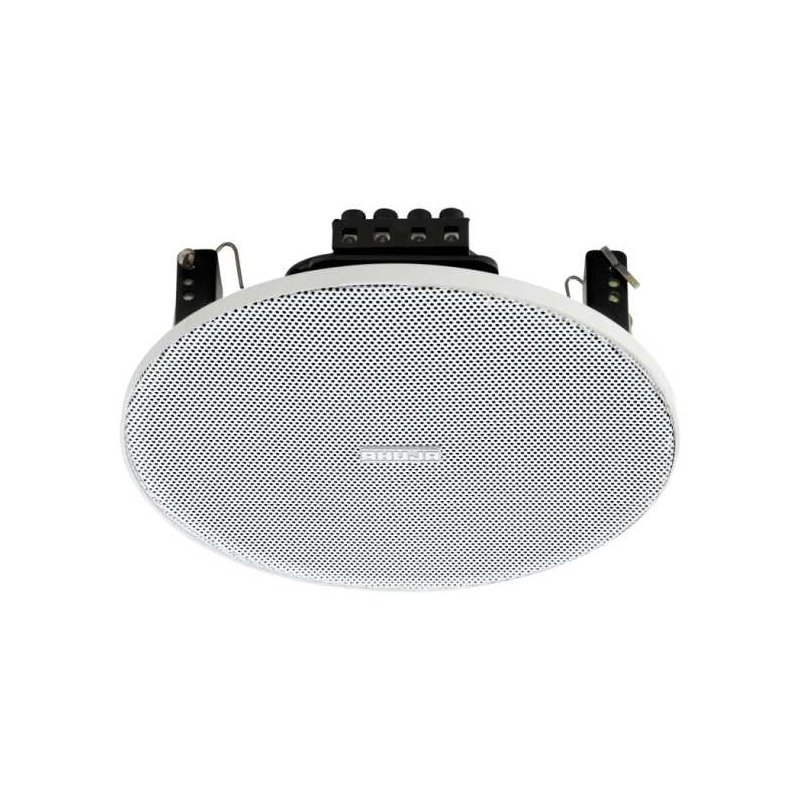
Step 1: Unboxing – Carefully remove the Ahuja CSX-5081T speaker from its packaging, ensuring you have all the components including the main speaker unit, power cord, and any accompanying manuals or accessories.
Step 2: Placement – Choose a suitable location for your speaker, ensuring it is placed on a stable surface away from any obstructions. Position it at ear level for optimal sound projection and dispersion.
Step 3: Power Connection – Plug one end of the power cord into the power input on the back of the speaker unit, and the other end into a standard power outlet. Make sure the power outlet is within reach and easily accessible.
Step 4: Audio Source Connection – Depending on your audio source, connect it to the speaker using the appropriate cable. For example, if using a smartphone or laptop, connect the audio output (e.g., headphone jack or audio output port) to the input port on the speaker using a compatible cable.
Step 5: Power On and Adjustments – Turn on the speaker using the power button located on the front or side panel. Adjust the volume and any other settings according to your preference using the control knobs or buttons provided on the speaker. Start with a low volume and gradually increase it to avoid sudden loud sounds.
Once set up, your Ahuja CSX-5081T speaker is ready to deliver clear and powerful audio for your listening pleasure. Experiment with different placement options and settings to optimize the sound quality based on your environment and preferences.
Denx Cord Vacuum Cleaner DX2920 600W
Candc DC C9 Cardioid Microphone
Philips OneBlade 360 Shaver QP2734/23
Philips 1000 Series Body Groomer BG1025/15
Sandisk Flash Drive i-xpand Dual Luxe 64GB Type-C to Lightning
NEWSTAR 35 505K UNIVERSAL CAR HOME LAPTOP ADAPTER
Maisto Metal Car Porsche 911 Targa 4 GTS Size 1.18 31470
Hot Wheels Deutschland Design
SONY PS4 Toukiden2 GAME CD
SONY PS4 STAR WARS SQUADRONS GAME CD
Boya By Wm8 Pro K2 Uhf Dual Channel Wireless Microphone
SUPER SN-200 32 BIT GAME
BK-20 OUD OIL BUKHOOR BURNER
Brother Ink Cartridge BT5000 Magenta
Boya Wireless Microphone By Wm4 Pro
New Arrivals
Offers
Service & Repair


There are no reviews yet.