
-
×
 Kalimba 17 Keys Finger Piano
1 × 13.800 OMR
Kalimba 17 Keys Finger Piano
1 × 13.800 OMR -
×
 Boya Lavalier Microphone By M40d
1 × 20.000 OMR
Boya Lavalier Microphone By M40d
1 × 20.000 OMR
Subtotal: 33.800 OMR
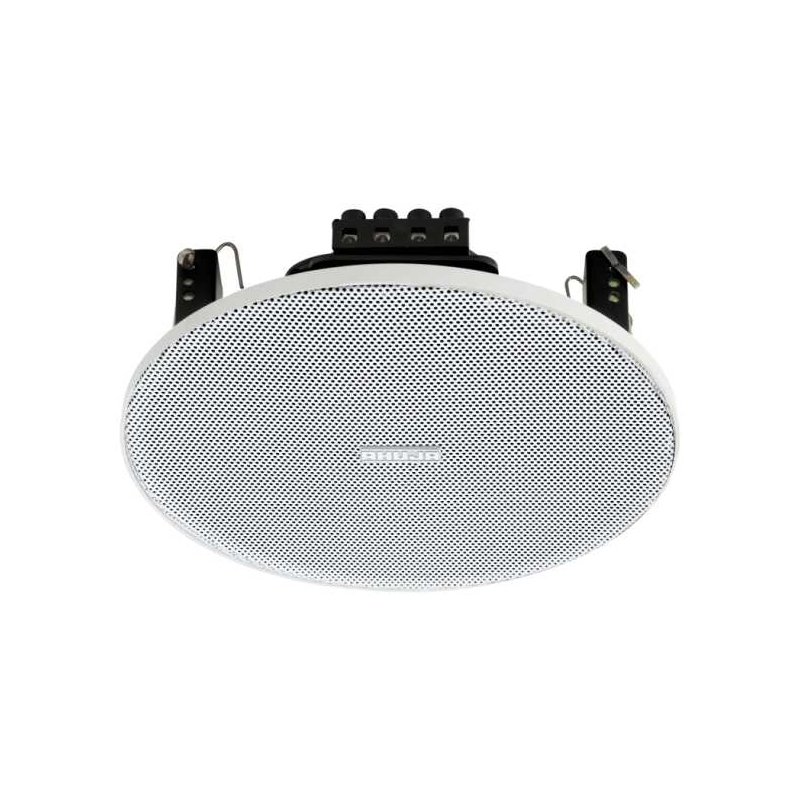
SKU: AHUJA CSX-5081T 8W RMS 5" Speaker
In stock
12.7 cm (5”) Full Range Speaker with power taps of 8/4/2W.
8 Watts continuous power handling capacity
Easy mounting with spring loaded wing clamps.
100V operation with easy selection of power taps through a terminal block
17.000 OMR
In stock
Step 1: Unboxing – Carefully remove the Ahuja CSX-5081T speaker from its packaging, ensuring you have all the components including the main speaker unit, power cord, and any accompanying manuals or accessories.
Step 2: Placement – Choose a suitable location for your speaker, ensuring it is placed on a stable surface away from any obstructions. Position it at ear level for optimal sound projection and dispersion.
Step 3: Power Connection – Plug one end of the power cord into the power input on the back of the speaker unit, and the other end into a standard power outlet. Make sure the power outlet is within reach and easily accessible.
Step 4: Audio Source Connection – Depending on your audio source, connect it to the speaker using the appropriate cable. For example, if using a smartphone or laptop, connect the audio output (e.g., headphone jack or audio output port) to the input port on the speaker using a compatible cable.
Step 5: Power On and Adjustments – Turn on the speaker using the power button located on the front or side panel. Adjust the volume and any other settings according to your preference using the control knobs or buttons provided on the speaker. Start with a low volume and gradually increase it to avoid sudden loud sounds.
Once set up, your Ahuja CSX-5081T speaker is ready to deliver clear and powerful audio for your listening pleasure. Experiment with different placement options and settings to optimize the sound quality based on your environment and preferences.
*Super clear recording sound *compatible with smartphones,DSLR cameras,consumer camcorders,PCs etc *lighweight and compact for easy carrying *omnidirectional lavalier microphone *hard case included *standard camera shoe mout and clip included *operation range up to 50cm *power supplied by two AAA batteries for both transmitter and receiver
 New Arrivals
 Offers
 Service & Repair


There are no reviews yet.