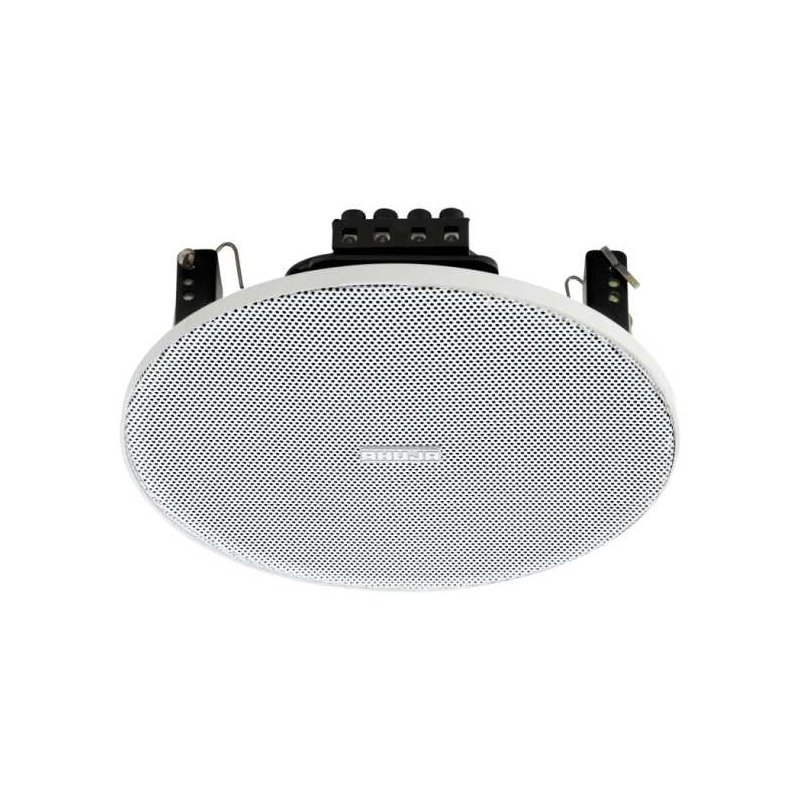
Step 1: Unboxing – Carefully remove the Ahuja CSX-5081T speaker from its packaging, ensuring you have all the components including the main speaker unit, power cord, and any accompanying manuals or accessories.
Step 2: Placement – Choose a suitable location for your speaker, ensuring it is placed on a stable surface away from any obstructions. Position it at ear level for optimal sound projection and dispersion.
Step 3: Power Connection – Plug one end of the power cord into the power input on the back of the speaker unit, and the other end into a standard power outlet. Make sure the power outlet is within reach and easily accessible.
Step 4: Audio Source Connection – Depending on your audio source, connect it to the speaker using the appropriate cable. For example, if using a smartphone or laptop, connect the audio output (e.g., headphone jack or audio output port) to the input port on the speaker using a compatible cable.
Step 5: Power On and Adjustments – Turn on the speaker using the power button located on the front or side panel. Adjust the volume and any other settings according to your preference using the control knobs or buttons provided on the speaker. Start with a low volume and gradually increase it to avoid sudden loud sounds.
Once set up, your Ahuja CSX-5081T speaker is ready to deliver clear and powerful audio for your listening pleasure. Experiment with different placement options and settings to optimize the sound quality based on your environment and preferences.
Bm 13k Bee Melodica
Redmi M2523 Smart Watch 6 Silver Gray
Sony PS5 The Pathless Game CD
BBurago Metal Car Ferrari 296 GTB Size 1.18 18-16018
Yesido Wall Charger YC98C Gan Trio 65w
Go-des Car Holder Gd-Hd626 Magnetic Mount
SONY PS4 CD DOOM
Cleo Plastic Recorder
Biba Flute Deluxe
New Arrivals
Offers
Service & Repair


There are no reviews yet.