
 New Arrivals
 Offers
 Service & Repair

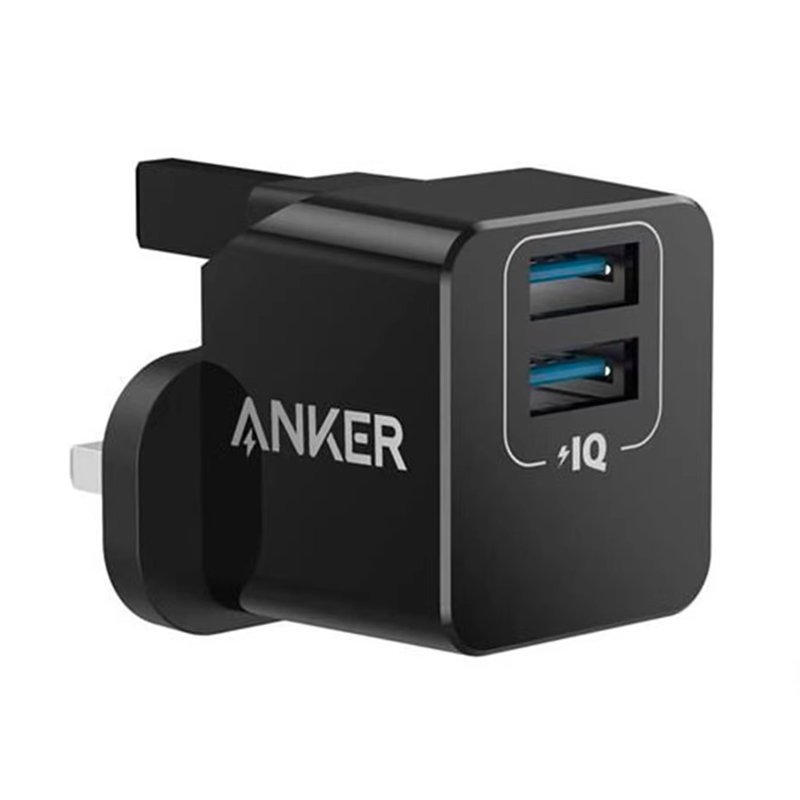
ANKER POWERPORT MINI 12W 2 PORT HOME Adapter
SKU: ANKER POWERPORT MINI 12W 2 PORT HOME Adapter
Out of stock
The Anker PowerPort Mini 12W 2-Port Home Adapter is a compact and efficient charging solution for your electronic devices. With its dual ports, it allows you to charge two devices simultaneously, delivering up to 12W of power per port. Its sleek and portable design makes it ideal for home, office, or travel use. Equipped with Anker’s advanced charging technology, it ensures fast and safe charging for smartphones, tablets, and other USB-powered devices. Say goodbye to bulky chargers and keep your devices powered up with the Anker PowerPort Mini.
Out of stock
1. **Plug-In**: Start by plugging the Anker PowerPort Mini into a standard wall outlet in your home, office, or any other location where you need to charge your devices.
2. **Connect Devices**: Use the USB ports on the adapter to connect your electronic devices that require charging. You can charge up to two devices simultaneously, thanks to its dual-port design.
3. **Power On**: Once your devices are connected, ensure they are powered on and ready to charge. The PowerPort Mini will automatically detect the connected devices and provide the appropriate charging current.
4. **Monitor Charging**: Keep an eye on your devices while they’re charging to ensure they’re receiving power properly. Most devices will display a charging indicator when they’re connected to a power source.
5. **Unplug and Store**: Once your devices are fully charged, or you no longer need to charge them, unplug them from the PowerPort Mini. Store the adapter in a safe and convenient location for future use, or take it with you when you’re on the go.


There are no reviews yet.