1. **Attach the Bracket to the Handlebar:** First, locate a suitable spot on your bicycle’s handlebar to attach the bracket. Position the bracket in a convenient and secure location, ensuring it won’t interfere with your riding or the operation of the bike’s controls.
2. **Secure the Bracket:** Once you’ve chosen the desired location, use the included mounting hardware to secure the bracket to the handlebar. Tighten the screws or clamps provided to ensure a stable and firm attachment.
3. **Adjust the Angle:** Depending on your preference, you can adjust the angle of the bracket to optimize the viewing position of your device. Loosen any adjustable components on the bracket, such as swivel joints or hinges, and adjust the angle to your liking. Then, tighten the components to secure the angle in place.
4. **Place Your Device:** With the bracket securely attached and adjusted, place your device onto the bracket’s holder. The Yesido C66 Bicycle Bracket Holder features a clip mechanism designed to securely hold your device in place while riding, preventing it from slipping or falling off during your journey.
5. **Ensure Secure Fit:** Before setting off on your ride, double-check that your device is securely held by the bracket and that all attachments are properly tightened. Ensure that the bracket provides a stable and secure mount for your device, minimizing the risk of it coming loose while cycling.
With these steps, you can easily install and use the Yesido C66 Bicycle Bracket Holder with Clip to securely mount your device to your bicycle’s handlebar, keeping it accessible and visible while you ride.

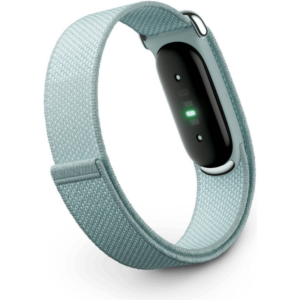 سوار جوجل فيتبيت إير لتتبع اللياقة البدنية والصحة بدون شاشة، مقاوم للضباب
1 × 51.900 OMR
سوار جوجل فيتبيت إير لتتبع اللياقة البدنية والصحة بدون شاشة، مقاوم للضباب
1 × 51.900 OMR 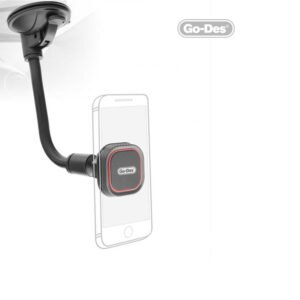 GO-DES GD-HD653 MAGNETIC CAR HOLDER
1 × 3.900 OMR
GO-DES GD-HD653 MAGNETIC CAR HOLDER
1 × 3.900 OMR 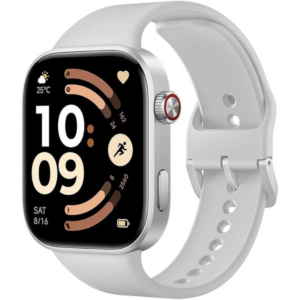 ساعة ريدمي M2523 الذكية 6 باللون الرمادي الفضي
1 × 34.900 OMR
ساعة ريدمي M2523 الذكية 6 باللون الرمادي الفضي
1 × 34.900 OMR  ANKER NEBULA MARS 2PRO D2323211 PORTABLE PROJECTOR
1 × 199.800 OMR
ANKER NEBULA MARS 2PRO D2323211 PORTABLE PROJECTOR
1 × 199.800 OMR  أقل سعر
 الخدمة والإصلاح

 أحدث
أحدث


لا توجد مراجعات حتى الآن.