
-
×
 كاميرا الحركة جو برو ماكس 2 360 مع بطاقة ذاكرة CHDSZ-311-RT
1 × 179.900 OMR
-
×
 BBurago Metal Car Ferrari 296 GTB Size 1.18 18-16018
2 × 42.900 OMR
-
×
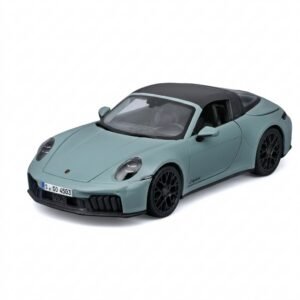 Maisto Metal Car Porsche 911 Targa 4 GTS Size 1.18 31470
2 × 42.885 OMR
-
×
 Hot Wheels Deutschland Design
3 × 4.900 OMR
-
×
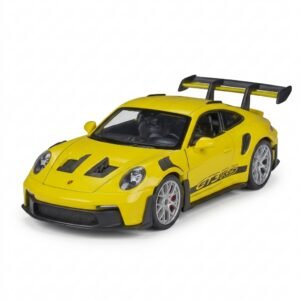 سيارة معدنية من "ويلي" (Welly) طراز "بورشه 911 جي تي 3 آر إس" (Porsche 911 GT3 RS)، بمقياس 1:24، رقم الموديل WL-24122W
1 × 14.900 OMR
-
×
 ADJUSTABLE CAR PHONE HOLDER
1 × 2.500 OMR
-
×
 BIBA Flute Deluxe
1 × 6.500 OMR
-
×
 D-Link DCS-8300LH HD Wi-Fi Camera
1 × 12.800 OMR
-
×
 Mophie Apple Iphone 11 Pro Battery Pack
1 × 19.900 OMR
-
×
 Sony PS4 Village Resident Evil Game CD
1 × 18.700 OMR
-
×
 ANKER NEBULA MARS 2PRO D2323211 PORTABLE PROJECTOR
1 × 199.800 OMR
-
×
 Maisto Metal Car Porsche 911 GT3 Size 1.18 36458
1 × 42.885 OMR
-
×
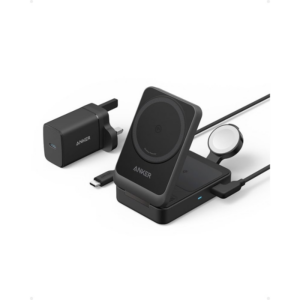 محطة شحن لاسلكية قابلة للطي من أنكر B2557212 Qi2 Series 3 في 1 بقوة 15 واط
1 × 19.900 OMR
-
×
 Philips 1000 Series Body Groomer BG1025/15
1 × 10.900 OMR
-
×
 iPhone SE 2020 - 128 GB - White
1 × 185.000 OMR
المجموع: 899.955 OMR
 أقل سعر
 الخدمة والإصلاح


 أحدث


لا توجد مراجعات حتى الآن.