
-
×
 Insta 360 Action Camera GO 3S
1 × 154.800 OMR
-
×
 Sony PS5 Dual Sense Wireless Controller - Starlight Blue
1 × 25.900 OMR
-
×
 Yamaha Keyboard Psr E483 61 Keys
1 × 133.000 OMR
-
×
 سي دي لعبة توم كلانسي راينبو 6 سيج لبلاستيشن 4
1 × 17.700 OMR
-
×
 ميلوديكا ميلوديكا النحلة Bm 13k
1 × 5.900 OMR
-
×
 MAX SPEAKER BOX SPARE GRILL-12''
1 × 6.000 OMR
-
×
 ITC T 208S 8' CEILLING SUBWOOFER 60W/100V
1 × 17.000 OMR
-
×
 ANKER NEBULA MARS 2PRO D2323211 PORTABLE PROJECTOR
1 × 199.800 OMR
-
×
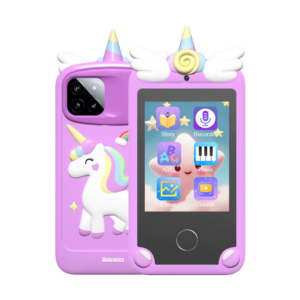 ألعاب الهواتف الذكية للأطفال من كليو-تي (K8)
1 × 8.900 OMR
-
×
 Sunglass Lacoste L233SP 714 140
1 × 65.000 OMR
-
×
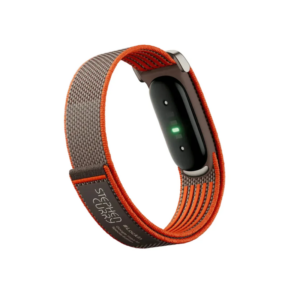
 Google Fitbit Edge Fitness & Health Tracking Smart Band Green
4 × 86.900 OMR
-
×
 Earldom Data Cable 3A Usb to Usb C EC 199C 1.2 Meter
1 × 1.300 OMR
-
×
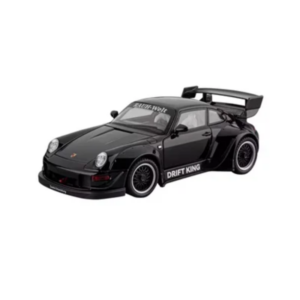 سيارة كليو-تي واي المعدنية بورش 993 مقاس 1.22
1 × 6.800 OMR
-
×
 Smart Tools AAA 450mAh 4 Pack Rechargeable Battery
1 × 3.900 OMR
-
×
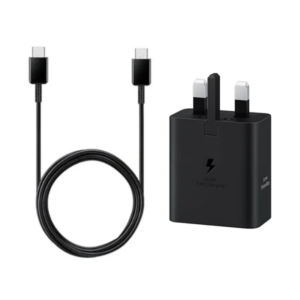 SAMSUNG Galaxy Type_C 45 w Home Charger Original CHARGE
1 × 7.900 OMR
-
×
 Belkin F2CU012bt Mixit Cable Usb A to Micro 3mtr
2 × 1.900 OMR
-
×
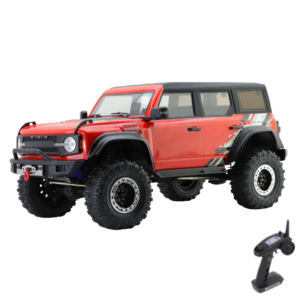 سيارة RGT PRO Runner RC (موديل 86130) التي تعمل بالتحكم عن بُعد من Cleo-TY
1 × 169.900 OMR
-
×
 ANKER A80F1H11 544 USB-C to USB-C Data Cable (Bio-Based) 3ft
1 × 3.900 OMR
-
×
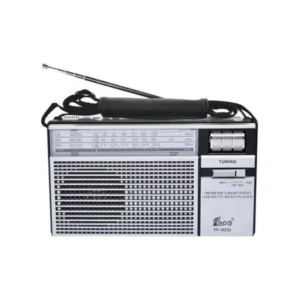 راديو محمول Cleo-EL بنطاقات AM/FM/SW (طراز FP-1823BTC)
1 × 6.900 OMR
-
×
 Philips OneBlade 360 Shaver QP2734/23
1 × 22.900 OMR
-
×
 TM1 TNY LARGE DIAPHRAGM CONDENSER MICROPHONE WITH RECORDING PACKAGE
1 × 60.000 OMR
-
×
 Yesido YSW30 Bluetooth Mini Speaker
1 × 4.000 OMR
-
×
 Laptop Power Cable with Fuse 3 Pin
1 × 1.500 OMR
-
×
 Dlc Glass Tea Pot With Filter 1.2L 36307
1 × 4.500 OMR
-
×
 Honor Earbud X10 Lite
1 × 6.500 OMR
-
×
 V Color Dr4 Pc4 Td48g26s819 D 21300 Ram 8Gb 2666Mhz
1 × 27.000 OMR
-
×
 Yesido Car Phone Holder C222 Gravity
1 × 1.400 OMR
-
×
 Huawei Smart Band 11 Cdy-B19 Polymer Purple Silver
1 × 16.500 OMR
-
×
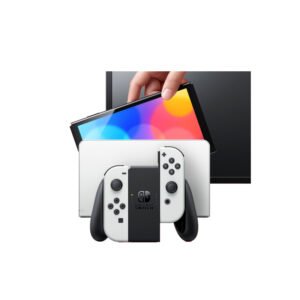 NINTENDO SWITCH OLED MODEL HEG-001 HANDHELD 64GB CONSOLE - WHITE
1 × 120.900 OMR
المجموع: 1,451.200 OMR
 أقل سعر
 الخدمة والإصلاح


 أحدث

لا توجد مراجعات حتى الآن.