1. **Power On**: Begin by turning on the wireless audio handset. This is usually done by pressing a power button or switch located on the handset itself.
2. **Pairing**: If the handset is being used for the first time or if it’s being connected to a new base station or central hub, it needs to be paired. This typically involves putting the handset into pairing mode and then initiating the pairing process on the base station or central hub. Follow the instructions provided in the user manual for specific pairing steps.
3. **Wireless Connection**: Once paired, the wireless audio handset establishes a wireless connection with the base station or central hub. This connection is usually made using Bluetooth or a similar wireless technology, allowing for communication between the handset and other devices in the network.
4. **Voice Transmission**: When a user speaks into the microphone on the wireless audio handset, their voice is captured and converted into an electronic signal. This signal is then transmitted wirelessly to the base station or central hub.
5. **Reception**: The base station or central hub receives the transmitted voice signal from the wireless audio handset. The signal is then decoded and converted back into audible voice, which can be heard through the speakers connected to the base station or central hub.
6. **Two-Way Communication**: Most wireless audio handsets support two-way communication, allowing users to speak and listen simultaneously. This enables seamless conversations between users who are using different handsets or other devices within the network.
7. **Additional Features**: Depending on the specific model and manufacturer, wireless audio handsets may come with additional features such as volume control, mute buttons, and integration with other devices or systems.
8. **End Communication**: When the conversation is finished, users can end the communication by pressing a designated button on the wireless audio handset or on the base station or central hub.
9. **Power Off**: Finally, turn off the wireless audio handset when it’s no longer needed to conserve battery life or power.
By following these steps, users can effectively use a wireless audio handset for convenient and efficient communication in various settings.

 TEFAL FV9845MO Steam Iron
1 × 44.800 OMR
TEFAL FV9845MO Steam Iron
1 × 44.800 OMR  YH 31 PS4 2 in 1 Charging Heat Sink
1 × 11.900 OMR
YH 31 PS4 2 in 1 Charging Heat Sink
1 × 11.900 OMR  آرييتي MOD 186 صانع الكلاب الساخنة
1 × 3.800 OMR
آرييتي MOD 186 صانع الكلاب الساخنة
1 × 3.800 OMR  أقل سعر
 الخدمة والإصلاح

 أحدث
أحدث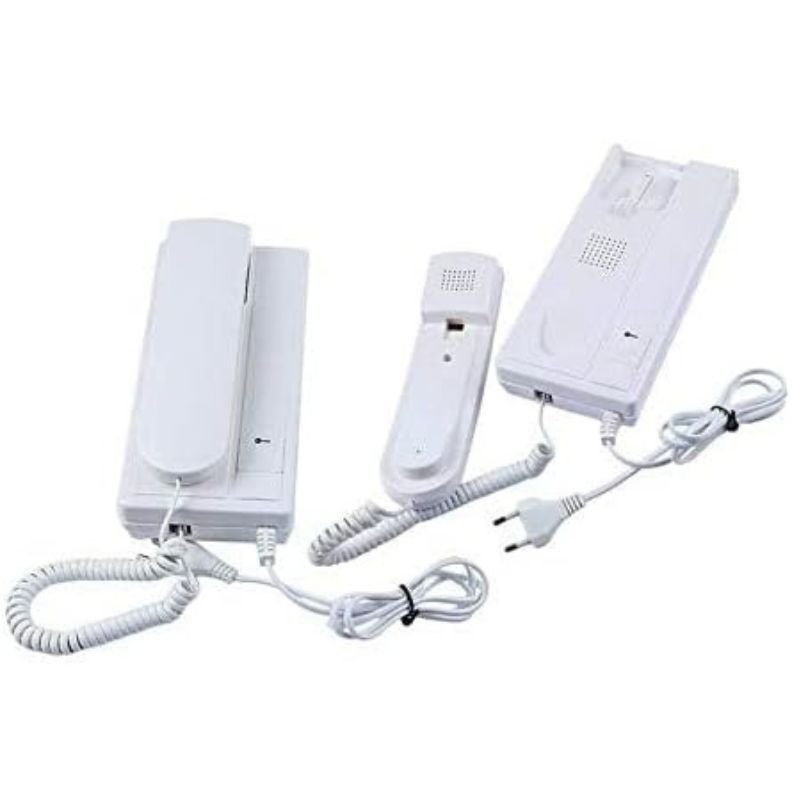
لا توجد مراجعات حتى الآن.