
 أقل سعر
 الخدمة والإصلاح

 أحدث
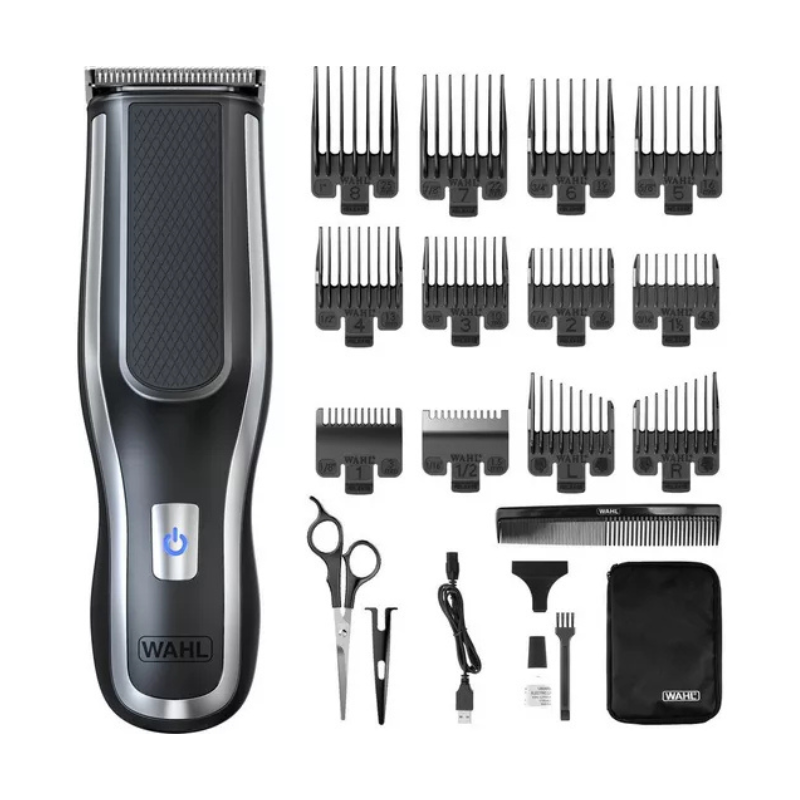
أحدثThe Wahl Self Clip 360 Hair Clipper 6275LP is a cordless, ergonomic clipper designed for easy self-grooming. With up to 150 minutes of runtime and 360° grip, it offers precision and control for at-home haircuts.

الكترونيات, مستحضرات التجميل والعطور, أدوات العناية الشخصية, Trimmers
Wahl Self Clip 360 Hair Clipper 6275LP
SKU:
Availability:
متوفر في المخزون
18.900 OMR
متوفر في المخزون
Unboxing & Inspection
-
Remove the clipper and accessories from the box.
-
Check for all included items: clipper, guide combs, scissors, comb, brush, oil, and charging cable.
2. Charging the Clipper
-
Connect the USB charging cable to the clipper.
-
Plug into a power source and charge fully before first use (up to 150 minutes of runtime).
3. Choosing a Guide Comb
-
Select the appropriate guide comb based on your desired hair length.
-
Snap the comb securely onto the clipper blade.
4. Powering On
-
Press the power button to turn on the clipper.
-
Hold using the DUALGRIP360™ handle for a firm, ergonomic grip.
5. Trimming Your Hair
-
Start from the sides or back and move the clipper against the direction of hair growth.
-
Use smooth, even strokes and trim gradually for a consistent cut.
-
Use the included taper combs for blending and shaping around ears.
6. Detailing & Finishing
-
Remove the comb attachment for closer cuts or detailing.
-
Use the scissors and styling comb for final touch-ups and precision trimming.
7. Cleaning & Maintenance
-
Turn off the clipper and remove the comb.
-
Brush away hair from the blades using the cleaning brush.
-
Apply blade oil to keep the blades sharp and rust-free.
8. Storing the Clipper
-
Allow clipper to cool if used for extended time.
-
Store all parts neatly in the included storage case for next use.
لا توجد مراجعات حتى الآن.