1. **Power On**: Press and hold the power button located on the side or top of the VIVO Y38 5G until the screen lights up and the device vibrates or displays the VIVO logo.
2. **Unlock Screen**: Swipe up or enter your PIN, pattern, or password on the screen to unlock the device and access the home screen.
3. **Navigate Home Screen**: Once unlocked, you’ll be on the home screen. Here, you can see your installed apps, widgets, and shortcuts. Swipe left or right to switch between different home screens.
4. **Access Apps and Features**: Tap on the desired app icon to open it. You can also find additional apps by swiping up from the bottom of the screen to open the app drawer. Here, you can search for apps or browse through different categories.
5. **Connectivity and Settings**: Swipe down from the top of the screen to access the quick settings menu. Here, you can toggle Wi-Fi, Bluetooth, airplane mode, and other settings. Tap on the gear icon to access the full settings menu, where you can adjust various device settings, including network connections, display, sound, and more.
TP-Link Gigabit WiFi 6 Router AX53 AX3000
MAGIC Q03 Wireless Selfie Stick
D-Link DWA-131 WIRELESS USB ADAPTOR
محول لاسلكي يو اس بي من تي بي لينك - TL WN725N
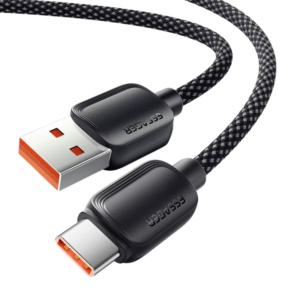
كابل شحن سريع من نوع USB-A إلى Type-C بقوة 100 واط من Cleo-MA Essager
Yesido Charger DS27 Wireless Charging Dock
WAHL 8467 SUPER TAPER
iPhone SE 2020 - 128 GB - White
أقل سعر
الخدمة والإصلاح
أحدث

لا توجد مراجعات حتى الآن.