
-
×
 MEGA HM 50T 50W DRIVER UNIT
1 × 10.000 OMR
-
×
 ITC T 104GK WATER PROOF CEILING SPEAKER 1P66 3W/6W/100V
1 × 5.000 OMR
-
×
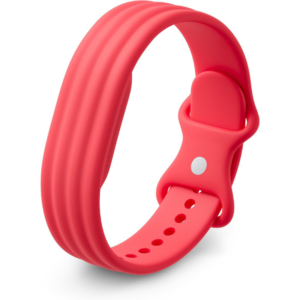 سوار جوجل فيتبيت إير أكتيف باند بيري المصنوع من السيليكون
1 × 20.900 OMR
-
×
 REAN RP2C PIN
1 × 1.500 OMR
-
×
 ميلوديكا ميلوديكا النحلة Bm 13k
1 × 5.900 OMR
-
×
 Yamaha Psr Sx920 Keyboard
1 × 680.000 OMR
-
×
 TOVASTE MOL1C(XLR+XLR) MIC CABLE
1 × 4.500 OMR
-
×
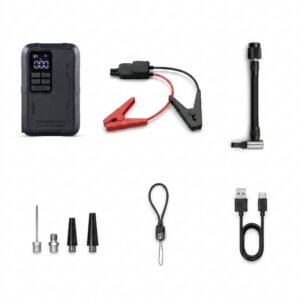 Blue Fire Mini Jump Starter BF-J06
1 × 24.900 OMR
-
×
 NEWSTAR 91-MB9 Microwave Oven Mount
1 × 2.950 OMR
-
×
 YAMAHA YTC-5
1 × 5.000 OMR
-
×
 4 IN 1 MOBILE GAME COMBO PACK
1 × 8.900 OMR
-
×
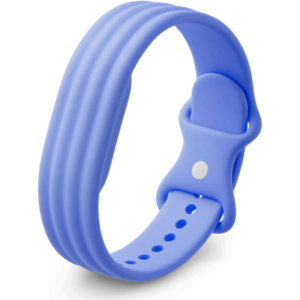 سوار جوجل فيتبيت إير أكتيف باند، سوار سيليكون بلون الخزامى
1 × 20.900 OMR
-
×
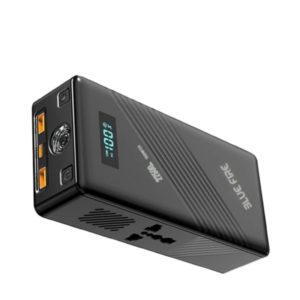 Blue Fire 22500MAh 150W Portable Power Bank
1 × 24.900 OMR
-
×
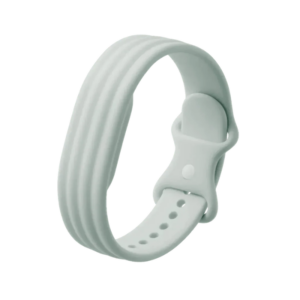 سوار جوجل فيتبيت إير أكتيف باند من السيليكون المقاوم للضباب
1 × 20.900 OMR
-
×
 Google Fitbit Edge Fitness & Health Tracking Smart Band Black
1 × 86.900 OMR
-
×
 Sony PS 4 FIFA 21 Ultimate Edition Arabic Game CD
1 × 12.800 OMR
-
×
 Telionix Electric Air Fryer 9L TAF4424
1 × 34.900 OMR
-
×
 Belkin F2CU012bt Mixit Cable Usb A to Micro 3mtr
1 × 1.900 OMR
-
×
 Philips 1000 Series Body Groomer BG1025/15
2 × 10.900 OMR
-
×
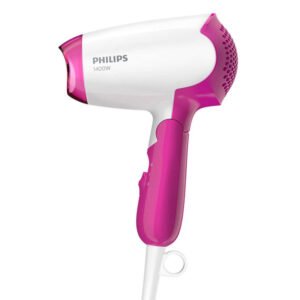 PHILIPS BHD 003 HAIR DRYER
1 × 7.900 OMR
-
×
 BK-20 OUD OIL BUKHOOR BURNER
1 × 6.400 OMR
-
×
 موصل كابل DUDAO AUX مقاس 3.5 مم
1 × 3.900 OMR
-
×
 Philips OneBlade 360 Shaver QP2734/23
1 × 22.900 OMR
-
×
 Fujifilm Printer Instax Mini Link 2
1 × 41.800 OMR
-
×
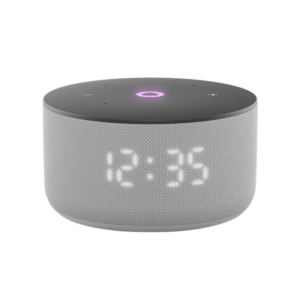 مكبر صوت ياسمين الصغير الذكي المحمول بتقنية بلوتوث، رمادي اللون
1 × 24.900 OMR
-
×
 KNSTAR PX-148-149BT 3BAND RADIO WITH USB SD CASSETTE RECORDER
1 × 12.800 OMR
-
×
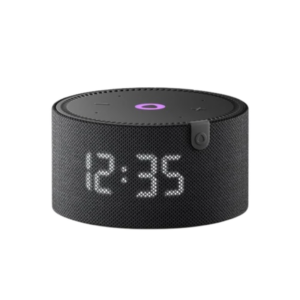 مكبر صوت ياسمين الصغير الذكي المحمول بتقنية بلوتوث، أسود
1 × 24.900 OMR
-
×
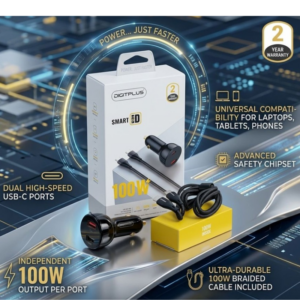 DigitPlus Car Charger 100w CC-DP-C101
1 × 8.900 OMR
-
×
 ميكروفون كاندك DC C9 كارديويد ميكروفون
1 × 3.500 OMR
المجموع: 1,152.450 OMR
 أقل سعر
 الخدمة والإصلاح


 أحدث

لا توجد مراجعات حتى الآن.