-
Unbox the Router
-
Remove the Archer AX12 router and all included accessories from the packaging.
-
Ensure you have the router, power adapter, Ethernet cable, and quick installation guide
-
-
Position the Router
-
Place the router on a flat, stable surface in a central location within your home for optimal coverage.
-
Ensure the router is away from obstructions and electronic devices that may cause interference.
-
-
Connect to the Internet
-
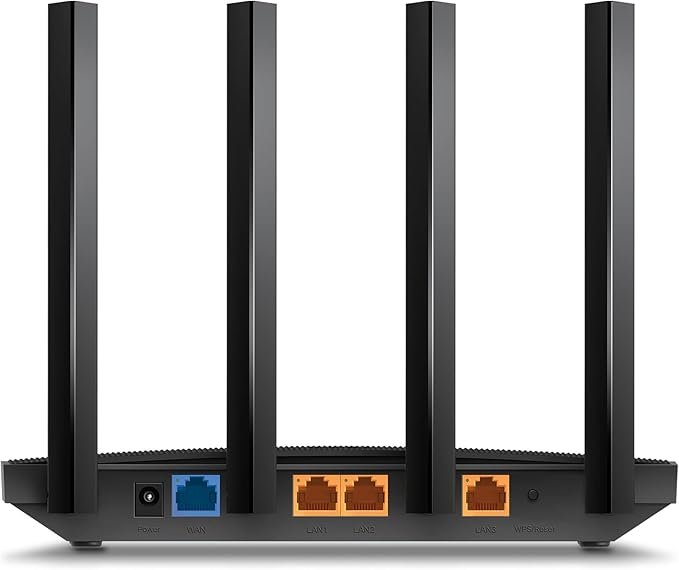
Plug one end of the provided Ethernet cable into the router’s WAN port.
-
Connect the other end to your modem or internet source.
-
-
Power On the Router
-
Insert the power adapter into the router’s power port.
-
Plug the adapter into a power outlet. The router should power on automatically.
-
-
Connect Devices
-
Wired Connection: Use additional Ethernet cables to connect devices to the router’s LAN ports.
-
Wireless Connection: Locate the default Wi-Fi network name (SSID) and password on the router’s label.
-
On your device, scan for the Wi-Fi network and enter the provided password to connect.
-
-
-
Access Router Settings
-
Open a web browser and enter the router’s IP address (usually 192.168.0.1 or 192.168.1.1) in the address bar.
-
Log in using the default username and password (often “admin” for both).
-
Follow the on-screen instructions to set up your network preferences, including Wi-Fi settings and security options.
-
-
Download the TP-Link Tether App (Optional)
-
For easier management, download the TP-Link Tether app on your smartphone.
-
Use the app to monitor connected devices, set up parental controls, and update firmware
-
-
Secure Your Network
-
Change the default router login credentials to something more secure.
-
Update the Wi-Fi network name (SSID) and password to your preference.
-
Enable WPA3 encryption for enhanced security
-
-
Update Firmware
-
Regularly check for firmware updates through the router’s web interface or the Tether app.
-
Follow the prompts to install any available updates, ensuring your router has the latest features and security patches.
-
الكترونيات, وايفاى
Tp-link Wifi 6 Router Archer Ax12 Ax1500
SKU:
Availability:
غير متوفر في المخزون
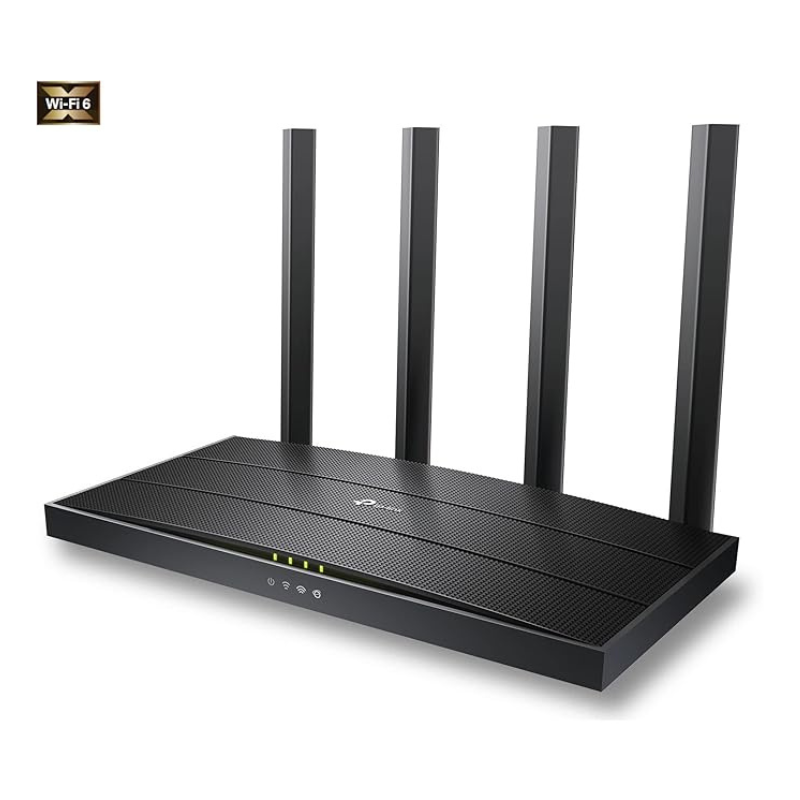
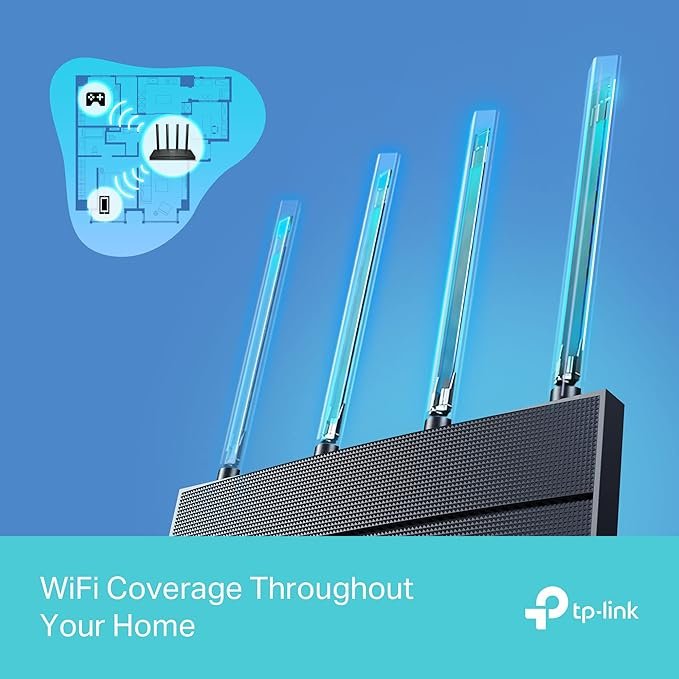
The TP-Link Archer AX12 AX1500 Wi-Fi 6 Router offers high-speed internet with dual-band support, delivering up to 1.5 Gbps. Equipped with four high-performance antennas and WPA3 security, it ensures reliable coverage and enhanced protection for your home network
غير متوفر في المخزون
سي دي لعبة روكيت ارينا بلاستيشن 4
XBOX ONE TOM CLANCY'S THE DIVISON 2 GAME CD
Cleo-TY Remote Control RC Car 70007
سي دي لعبة ستار وورز سكوادرونز لبلاستيشن 4
حامل الشحن DOBE PS4 TP4 TP4 023B
سي دي لعبة توكيدن 2 بلاستيشن 4
Tefal Pro Style One Upright Garment Steamer IT3480
سي دي لعبة ام اكس في اس ايه تي في اول اوت لبلاستيشن 4
Philips Steam Go Handheld Steamer GC 360 1100W
Maisto Metal Car Porsche 911 Targa 4 GTS Size 1.18 31470
Welly Metal Car Jeep Jeepster Commando Roadster Size 1.24 WL-24117C-W
4 IN 1 MOBILE GAME COMBO PACK
Cleo-MA Langsdom Bluetooth Neckband
Maisto Metal Car Porsche 911 GT3 Size 1.18 36458
Google Fitbit Edge Fitness & Health Tracking Smart Band Green
WONDER WAX HAIR KIT
USB DATA CABLE PS4
Cleo-EL Portable Power Station 300W ZHY-CN01
PROFESSIONAL STREAMING PLAYER STAND L1
Sony PS4 Dungeons & Dragons Dark Alliance-Day One Edition Game CD
BBurago Metal Car Ferrari 499P Size 1.18
TOA A2240 AMPLIFIER 240W
Used Nokia N81 (Used)
شاحن سريع مزدوج الجانب ROCK W24 مزدوج الجانب
أقل سعر
الخدمة والإصلاح
أحدث


لا توجد مراجعات حتى الآن.